TRIGGERcmd
    • Categories
    • Recent
    • Tags
    • Popular
    • Users
    • Groups
    • Search
    • Register
    • Login
    1. Home
    2. h6477801471
    3. Topics
    h6477801471H Offline
    • Profile
    • Following 0
    • Followers 0
    • Topics 3
    • Posts 9
    • Groups 0

    Topics

    • h6477801471H

      Monitor control command issue

      Watching Ignoring Scheduled Pinned Locked Moved Windows
      4
      2
      0 Votes
      4 Posts
      3k Views
      RussR
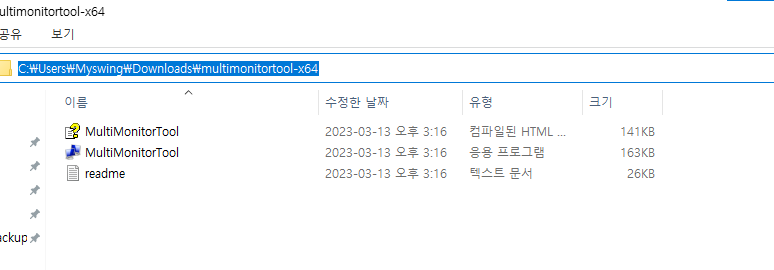
      @h6477801471, ok, if you put MultiMonitorTool.exe in d:\tools, then make your command this: d:\tools\MultiMonitorTool.exe /TurnOff 1 Or you could do this so you can say, Alexa, turn monitor off, and Alexa, turn monitor on. [image: 1697852080157-978faec6-3792-4b24-83b9-f78eb6bed2a6-image.png] If you specify the path (d:\tools) to the .exe file in your command you don't have to put d:\tools in your PATH variable. If you want, you could turn the projector on and off with a smart plug instead. You'd create 2 commands, and associate each one with an Alexa routine that flips the smart switch off and on. The problem is I don't think you're supposed to abruptly turn projectors off because the fan needs to run to cool the bulb down. I'm not sure though if that's still a concern these days. I made a video about how to run Alexa routines when you trigger your commands here: https://www.youtube.com/watch?v=nrqj-OwDpGE Also I forgot to ask, does it work if you run the command manually from a cmd window?
    • h6477801471H

      command solution

      Watching Ignoring Scheduled Pinned Locked Moved Instructions
      9
      0 Votes
      9 Posts
      2k Views
      RussR
      @h6477801471 , I answered you here: https://www.triggercmd.com/forum/topic/2725/monitor-control-command-issue/2
    • h6477801471H

      Is window 7 64bit not compatible?

      Watching Ignoring Scheduled Pinned Locked Moved Windows
      3
      0 Votes
      3 Posts
      880 Views
      h6477801471H
      @Russ Thank you so much, Russ. I just subscribed your software. It is awesome on windows 10 and works.