How can I change spotify device?
-
When you tell google home: play spotify, it plays it on the speaker of the same google home. I would like to know if there is any way to change the playback device through some script or something.
I saw this post: https://www.triggercmd.com/forum/topic/134/switch-spotify-devices-with-alexa-and-smartthings
In which, through a VBS script, he managed to change them, but in the script he used
WshShell.SendKeys '^ {d}'That line means ctrl + c, which was a shortcut for the switch device button.
But unfortunately that shortcut no longer exists, at least in my version of Spotify on Windows 10.If anyone knows any solution, I wait for it, thanks.
-
@Gaston-Mardones, when I open the Spotify Music app in my Windows 10 PC, then press CTRL-D, it brings up the output device screen, then if I hit tab a few times to select a device, then press Enter on that device it switches to it.
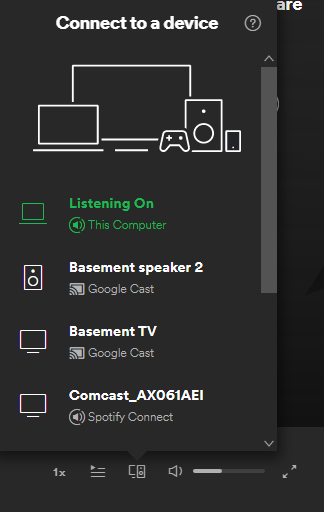
So you could make a script that does that. You could use a .vbs script like that article shows, or you might have better luck with AutoIT.
-
Thanks for the answer, but that is precisely my problem, that in my spotify application in windows 10 the shortcut ctrl + D does not work. So I wanted to know if there was any other solution.
For now I made a Python script that opens spotify in the web browser and hit TAB 24 times and ENTER until it opens which should do ctrl + D. But as you can imagine, it depends on the page loading fast, and more variables.
Just in case, sorry for my English, I'm from Argentina and I do what I can haha
Thanks again
-
@Gaston-Mardones, I see now. That's odd - I wonder why CTRL-D doesn't work. Instead, you could simulate a mouse click instead using AutoIT like this:
https://www.triggercmd.com/forum/topic/763/start-netflix-app/21
-
@Gaston-Mardones Buenas! Alguna solucion nueva para cambiar de dispositvo en Spotify? Gracias!
-
@Marcos-Martinez-Debelluit, this is one method. I used the SoundVolumeView.exe tool from Nirsoft.
SoundVolumeView.exe /SetDefault "Realtek*\Device\Speakers\Render" all
SoundVolumeView.exe /SetDefault "*USB Audio Device\Device\Speakers\Render" all
If I run the above commands while Spotify was playing a tune, it switches my computer's audio output from between my "3- USB Audio Device" (usb headphones) and "Realtek High Definition Audio" (speakers).
Notice I shortened the device names that the GUI showed me using the * wildcard.
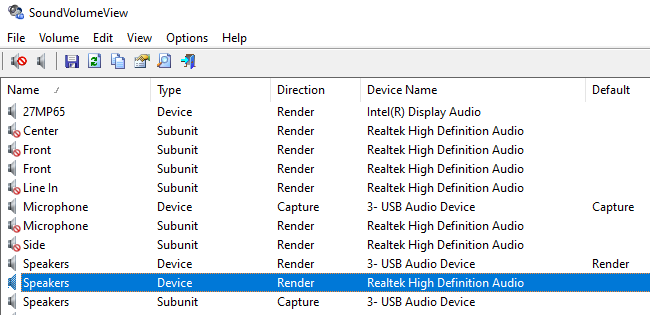
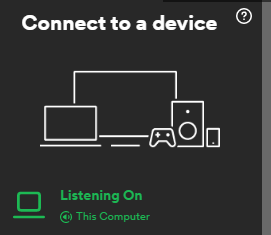
I have Spotify set to "This Computer".



Hello! It looks like you're interested in this conversation, but you don't have an account yet.
Getting fed up of having to scroll through the same posts each visit? When you register for an account, you'll always come back to exactly where you were before, and choose to be notified of new replies (either via email, or push notification). You'll also be able to save bookmarks and upvote posts to show your appreciation to other community members.
With your input, this post could be even better 💗
Register Login