-
@Russ Hi Russ, no unfortunately it doesn't rund the command from a cmd prompt. This happens if I copy and paste it in cmd:
https://www.dropbox.com/s/se4b59gxgk43su2/Screenshot 2021-01-26 19.25.19.png?dl=0
The command looks exactly like yours:
https://www.dropbox.com/s/a1b2parwrkjf848/Screenshot 2021-01-26 19.20.48.png?dl=0
The F7 Button is a Hotkey for a Streaming Software called OBS to change the Scene. Does that matter?
Thanks for your help already
-
@Arthur-Neufeld, I'm glad you mentioned OBS. I had no luck using wscript to send hot keys to OBS, so I made this post where I made two AutoIT .exe files - one for start recording, and one for stop recording, but you could use them for start and stop streaming too.
I use them and it works great.
-
Hey I used this and it works just fine, but I want to use the start /wait timeout command to give some space in between a couple key presses but it just ignores them and say "access denied" does anyone know why is that?
Thanks -
@Antonio-Leaños, when I tried a command like this, it worked for me.
start /min /wait timeout 5 & calcIt waited 5 seconds, then ran calculator.
Does that work for you? If not, can you tell me what command you're trying?
-
@russ said in Press the Down Arrow key (or any other key):
wscript c:\scripts\space.vbs
does it work on mac?
-
@teo-castrejon-escamilla , no. On Mac you could use applescript.
https://apple.stackexchange.com/questions/36943/how-do-i-automate-a-key-press-in-applescript
-
@russ Would it be possible to press FN key? Cant find information about it, since its not a key present in every keyboard, but mine actually have 2 FN keys and most of my shortcuts needs both of them to be pressed on first. Any thoughts?
-
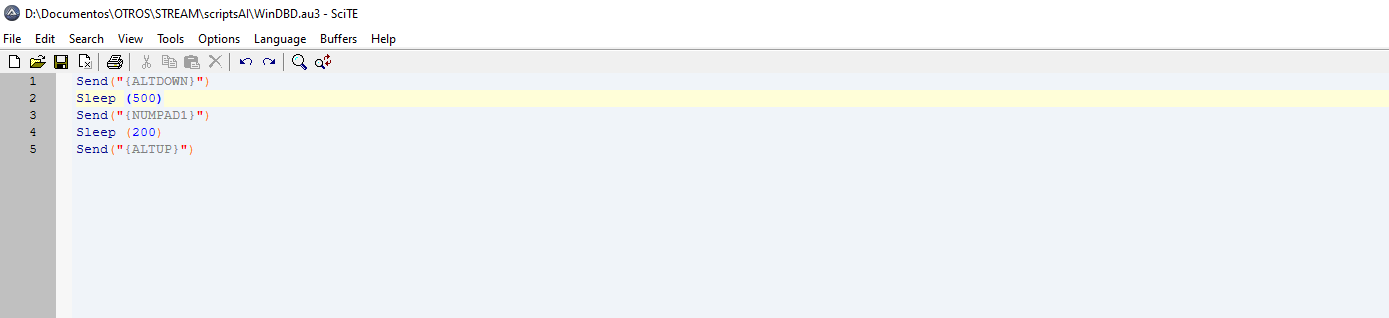
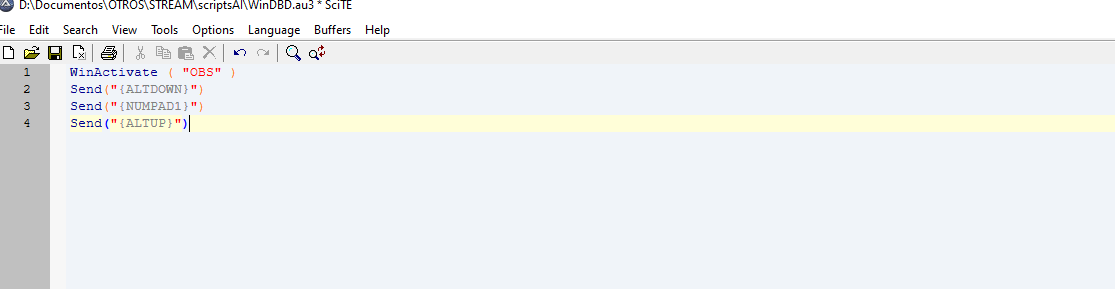
Hello, i just have one question, i made an script with AutoIT to trigger some hotkeys like ALT+NUMPAD1, but sometimes is working and sometimes dont, and i can see the script running in windows processes, What could be happening or what im doing wrong? i tried different ways to define the same action like winactive in first line, and using sleep command thinking maybe than is too fast, i let you screenshots, hoping you can help me guys, thanks.
-
@marcos-ibarra , check out this post. I did what you seem to be doing with OBS here:
https://www.triggercmd.com/forum/topic/1063/start-and-stop-obs-recording-or-streaming?_=1659268705659 -
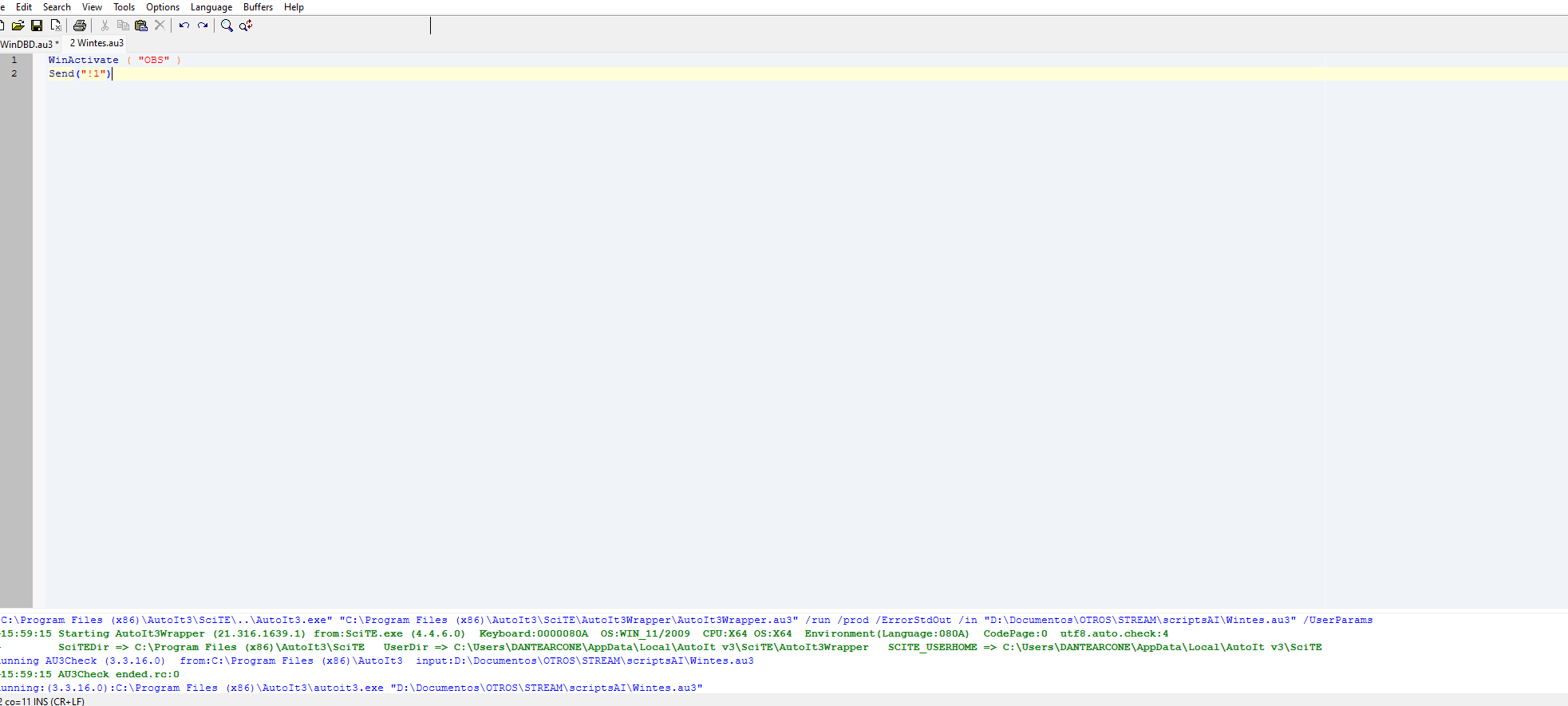
@russ Thanks! the hotkeys works, but i still having problems when i trigger the script, i think the script is the problem , because i use obs Lioranboard and triggercmd to change source visibility in my obs thorugh my voice, lioranboard is like a streamdeck, so i acitive buttons thorugh hotkeys than change sources visibility in my obs and i trigger the hot key from the script and sometimes works and sometimes dont, when i use the hotkye directly from my keyboard works all the time, i dont know what is happening. dont worry thanks for your help i will trigger my deck from ifttt and use triggercmd to run anything else, thanks Russ, ill be here, learning more about it.
-
@marcos-ibarra
I'm not into AU3 that much (while knowing AHK better), what about triggering OBS's Control(s) directly, instead of Send(ing) a key in a less reliable way?https://www.autoitscript.com/autoit3/docs/functions/ControlCommand.htm
That way the window wouldn't even have to be active, only existing!
-
A aaaaa12345 referenced this topic on




Hello! It looks like you're interested in this conversation, but you don't have an account yet.
Getting fed up of having to scroll through the same posts each visit? When you register for an account, you'll always come back to exactly where you were before, and choose to be notified of new replies (either via email, or push notification). You'll also be able to save bookmarks and upvote posts to show your appreciation to other community members.
With your input, this post could be even better 💗
Register Login