Start and stop OBS recording or streaming
-
Khaled Kh asked how to have OBS start and stop streaming. I had the same need, so I figure others might. Here's how I solved it. I used AutoIT to create two .exe files:
This one switches to the OBS app, then presses CTRL-ALT-X.
This one switches to the OBS app, then presses CTRL-ALT-Z.This is the code for the CTRL-ALT-X exe:
WinActivate ( "OBS" )
Send("^!x")
This is the code for the CTRL-ALT-Z exe:
WinActivate ( "OBS" )
Send("^!z")
It came in handy when I wanted to record my screen while I had VR goggles on. I was able to say start and stop recording to Alexa and Google Assistant via the TRIGGERcmd Smart Home Skill/Action.
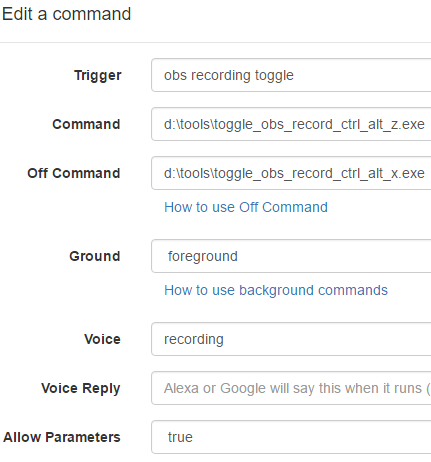
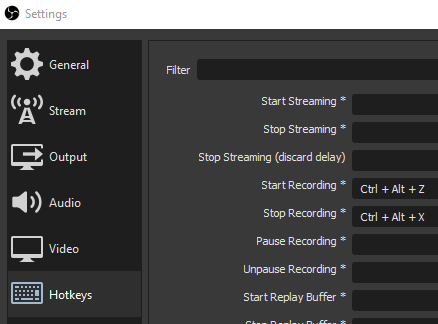
My OBS hot key settings:
-
 R Russ referenced this topic on
Hello! It looks like you're interested in this conversation, but you don't have an account yet.
Getting fed up of having to scroll through the same posts each visit? When you register for an account, you'll always come back to exactly where you were before, and choose to be notified of new replies (either via email, or push notification). You'll also be able to save bookmarks and upvote posts to show your appreciation to other community members.
With your input, this post could be even better 💗
Register Login