TRIGGERcmd
    • Categories
    • Recent
    • Tags
    • Popular
    • Users
    • Groups
    • Search
    • Register
    • Login
    1. Home
    2. General Discussion
    Log in to post
    Load new posts
    • Recently Replied
    • Recently Created
    • Most Posts
    • Most Votes
    • Most Views
    • raffles hoganR

      Overall questions including motion detection, voice response, and integration.

      • • raffles hogan
      2
      0
      Votes
      2
      Posts
      251
      Views

      RussR

      @raffles-hogan, as far as I know, there's no way to invoke an Alexa skill or Google Assistant action without saying the wake words like "Alexa" or "Hey Google" first.

      About pressing a key - you would have to create the scripts folder and create the script that presses a key. Also, if the computer is actually off, nothing can run on it. I think the post you read was about turning the monitor on.

      This page lists all the ways you can trigger commands. I pasted the section that shows the Smart Home and original skills here:

      Smart Home voice assistant skills (Example: "Hey Google, turn on calculator")

      "TRIGGERcmd Smart Home" Alexa skill "TRIGGERcmd Smart Home" Google Assistant action

      Original voice assistant skills (Example: "Alexa, ask TRIGGERcmd to run calculator"):

      Alexa skill Google Assistant action
    • RussR

      My wife always says Thank You to Alexa :)

      • • Russ
      2
      0
      Votes
      2
      Posts
      1.1k
      Views

      Royher FigueraR

      @Russ Jajajaja, that's happens... my father says thank you Alexa too and thank you google.

    • 안

      Google Assistant can't recognize TRIGGERcmd

      • • 안형근
      4
      0
      Votes
      4
      Posts
      819
      Views

      M

      @Russ said in Google Assistant can't recognize TRIGGERcmd:

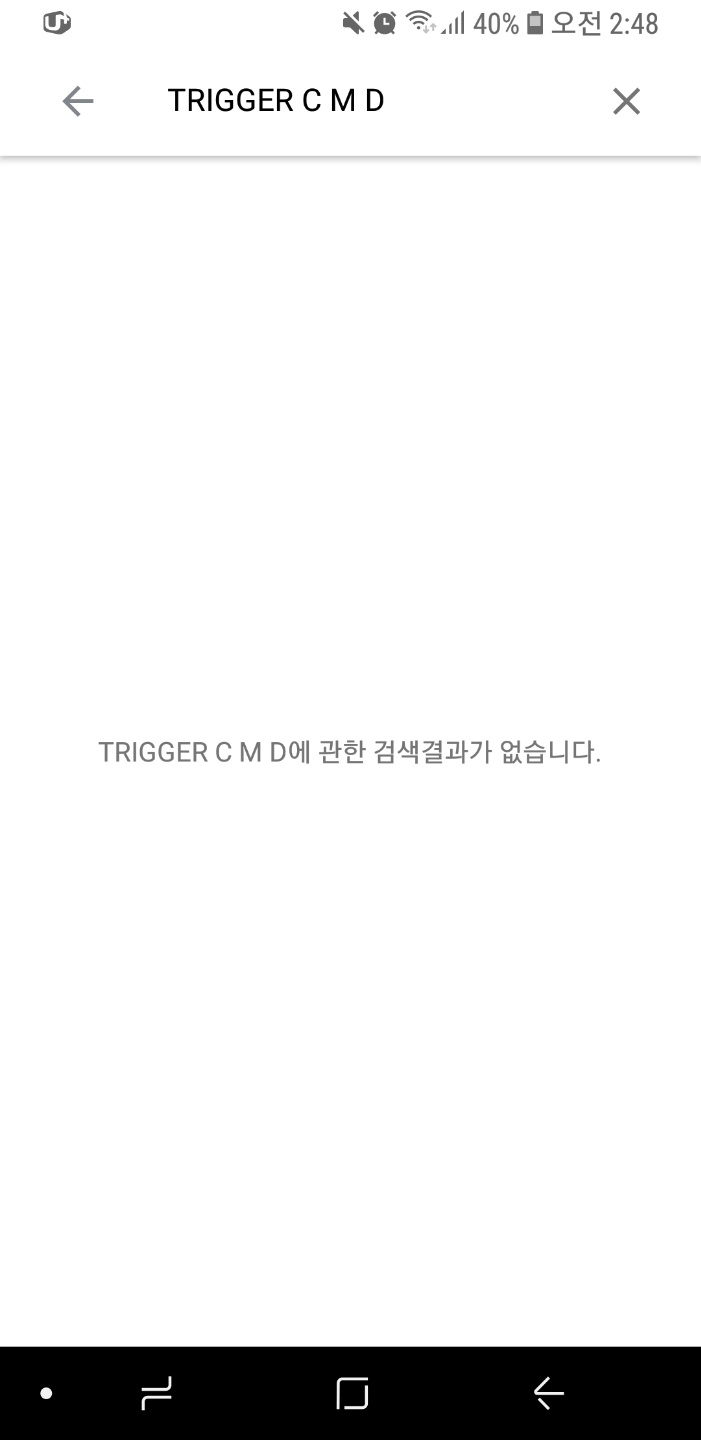
      @안형근 , I see from your screenshots that you seem to have done everything correctly, but I worry it won't work in your area if you can't search for TRIGGER C M D in the directory and find it. You could try one more thing: please try saying, Alexa, talk to TRIGGER C M D. If that works one time, I think Google Assistant is more likely to associate this phrase with the TRIGGERcmd action: "Alexa, ask TRIGGER C M D to run Calculator".

      Another idea is to try using IFTTT's webhook system to call the TRIGGERcmd API. Then you should be able to say, "Alexa, trigger X", where X is the "specific phrase" you'd use with the Alexa "Say a specific phrase" option in your IFTTT recipe.

      Here's an article about how to use IFTTT with TRIGGERcmd:
      https://www.triggercmd.com/forum/topic/31/how-to-use-ifttt-with-triggercmd

      Either way keep up the excellent quality writing.

    • Ilya AlshineI

      GH TriggerCMD Smart Home stopped working

      • • Ilya Alshine
      8
      0
      Votes
      8
      Posts
      483
      Views

      RussR

      @Ilya-Alshine, maybe. I'll think about that.

    • Alexandre SousaA

      "Voice Replay"

      • • Alexandre Sousa
      4
      0
      Votes
      4
      Posts
      439
      Views

      RussR

      @Alexandre-Sousa, does your command run but Alexa says nothing?

      Also, which Alexa skill are you using? If you're saying, "Alexa, turn on X", that's the Smart Home skill, which doesn't use the Voice Reply field.

    • K

      Create Trigger to use macOS terminal to Ping domain

      • • kbnetguy
      2
      0
      Votes
      2
      Posts
      658
      Views

      RussR

      @kbnetguy, this command should work on a Mac:

      dig +short www.triggercmd.com | tail -n1

      I included the tail -n1 to use only the first line in case the host name returns multiple IP's.

      You probably know this, but to assign the result to an environment variable you can do this:

      export IP=$(dig +short www.triggercmd.com | tail -n1) echo $IP

      If you must use ping, let me know. I had that command figured out for Linux, but Mac's ping and grep are different.

    • J

      Website control??

      • • Joan Canario
      2
      0
      Votes
      2
      Posts
      217
      Views

      RussR

      @Joan-Canario, you should be able to use selenium to do that. What's the website? I can probably do an example.

      I might use this: https://automatetheboringstuff.com/chapter11/

    • Călin Cătălin AlexandruC

      Raspberry Pi OS (64 bit)

      • • Călin Cătălin Alexandru
      6
      0
      Votes
      6
      Posts
      427
      Views

      RussR

      Awsome, @Călin-Cătălin-Alexandru I'm glad you figured it out.

    • Maximiliano FarinaroM

      trouble with installation

      • • Maximiliano Farinaro
      2
      0
      Votes
      2
      Posts
      208
      Views

      RussR

      @Maximiliano-Farinaro, can you confirm your Windows version is 64bit Windows 10? I've seen problems like this on 32bit Windows.

    • VRMan3DV

      Alexa - bugs & make command called shutdown confuses skill.

      • • VRMan3D
      2
      0
      Votes
      2
      Posts
      516
      Views

      RussR

      @VRMan3D, that's funny about using "shutdown". Yea unfortunately Alexa reserves certain words like "stop" and apparently "shutdown".

      What word are you using for your "Voice" word for your command? Alexa understands certain words better than others.

      It often helps to look at your voice command history at https://alexa.amazon.com/ to see what she heard. You can compare your voice word to what Alexa hears to pick something she hears well every time.

      Another option is to use the TRIGGERcmd Smart Home skill. You say, "Alexa, turn on notepad" instead of "Alexa, ask TRIGGERcmd to run notepad." The Smart Home skill works better because Alexa knows your commands ahead of time and only has to match what you said to one of your commands.

    • Paulo EduardoP

      How to run `code .` and `yarn start` on macOS?

      • • Paulo Eduardo
      3
      0
      Votes
      3
      Posts
      267
      Views

      RussR

      @Paulo-Eduardo, awesome. Nice job. I'm glad you got it working.

    • Raphael NevesR

      Processing rate limit for multiple triggers

      • • Raphael Neves
      2
      0
      Votes
      2
      Posts
      295
      Views

      RussR

      @Raphael-Neves, yes, if you subscribe you can run more than 1 command per minute.

    • eggbeanE

      How to reduce size by removing dubious dependencies?

      • • eggbean
      5
      0
      Votes
      5
      Posts
      495
      Views

      RussR

      @eggbean, man that is brilliant! Nice job. I can't wait to read that blog post. I might want to do something similar.

      You don't need npm to run the agent. It's useful for installing the dependencies but it makes sense to remove it after.

      Thanks for sharing.

    • NaNo NetN

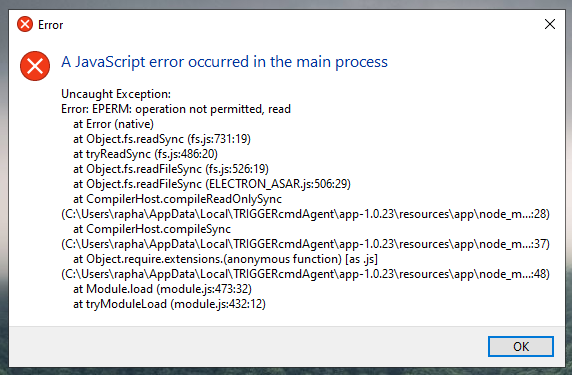
      I need help to "javascript error occurred in the main process"

      • • NaNo Net
      9
      0
      Votes
      9
      Posts
      1.2k
      Views

      NaNo NetN

      @Russ 6aaf83bd-9770-4de5-a697-781d7b5ba91f-image.png

    • Alcir JuniorA

      Difficulty executing commands in the shell script

      • • Alcir Junior
      4
      0
      Votes
      4
      Posts
      368
      Views

      RussR

      @Alcir-Junior, awesome.

    • RAFFYR

      Is IFTTT broken?

      • • RAFFY
      2
      0
      Votes
      2
      Posts
      249
      Views

      RussR

      @RAFFY, I'm finding I get the same error when I try to create an IFTTT applet. I confirmed I haven't changed any code on my end. I'm looking into it. Thank you for reporting this problem!

      EDIT: I got a response from IFTTT that wasn't very helpful. I sent them another email and I'm still waiting.
      Basically, right now you can't create new IFTTT applets that use ingredients in the params field.

      For now, you could use the old Webhooks method.

      EDIT2: It's fixed now.

    • Furkan CevikF

      Auto-Sync between TriggerCMD & My Alexa Device doesnt work

      • • Furkan Cevik
      5
      0
      Votes
      5
      Posts
      648
      Views

      RussR

      @Furkan-Cevik , I got your chat. Thanks for confirming it's working now, and thanks for reporting the problem.

    • eggbeanE

      Is there a way to use this on a headless CentOS server?

      • • eggbean
      6
      0
      Votes
      6
      Posts
      552
      Views

      RussR

      @eggbean, I turned off emails from the forum because I was getting a lot of spammers. Since then they've stopped posting, so I'll turn it back on.

      To add/remove commands, edit your /root/.TRIGGERcmdData/commands.json file. Make sure you make them background commands because you're running the background agent.

      The background agent adds, removes, and runs background commands.

      FYI, if you find that your commands.json keeps reverting as soon as you save it, that means you've made some mistake in the json formatting so the agent restored the last good version of it.

    • ?

      HTTP POST

      • • A Former User
      15
      0
      Votes
      15
      Posts
      5.3k
      Views

      RussR

      @Josiah-Richards and @jgodney, please be aware, there's an official Integromat integration now.

    • frederico allanF

      background service linux

      • • frederico allan
      6
      0
      Votes
      6
      Posts
      915
      Views

      RussR

      @frederico-allan, I wasn't able to program the foreground agent on Linux to startup automatically after login. I couldn't find a standardized way to do that. If you know of a way, please let me know.

      I'm glad you got it working.