-
Check out this video for detailed instructions:
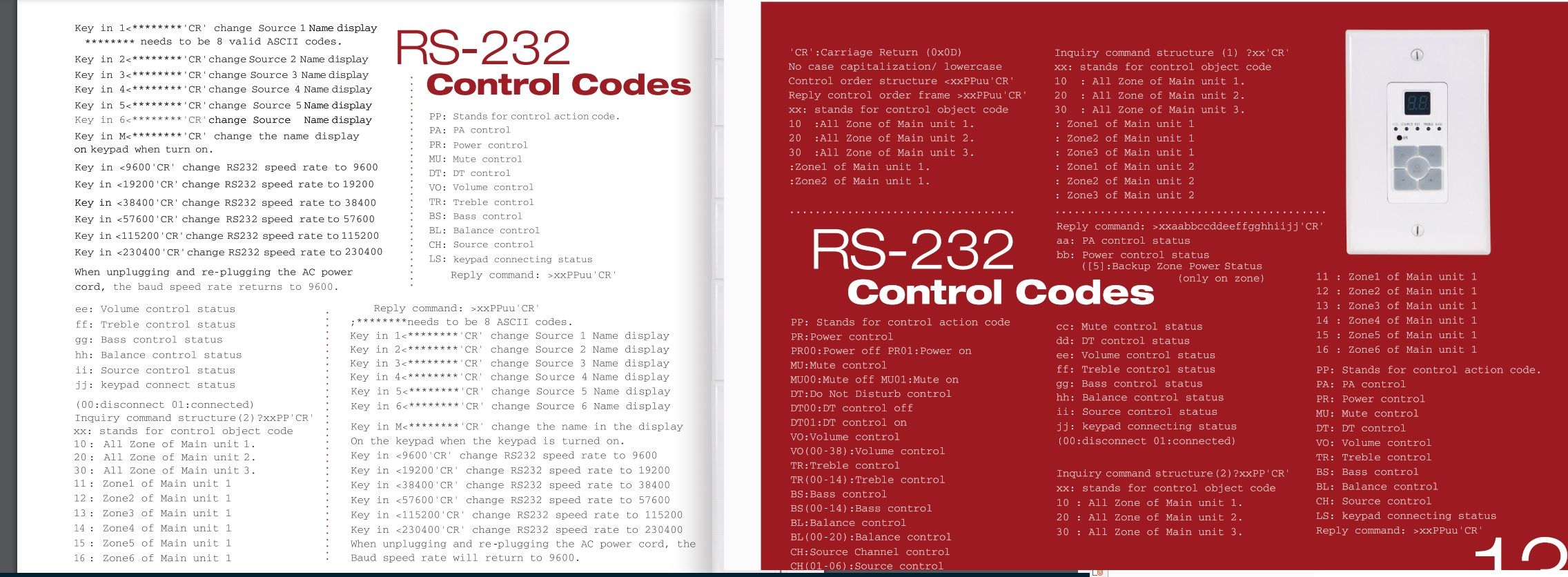
https://www.youtube.com/watch?v=fHB_gjc1w8QChange volume of a zone:
curl "http://localhost:50233/api/Value?Channel=0&command=Volume&value=15"Change input (aka channel) of zone 0:
curl "http://localhost:50233/api/Value?Channel=0&Property=CH&value=1"Power on zone 0:
curl "http://localhost:50233/api/Value?Channel=0&Property=PR&value=1"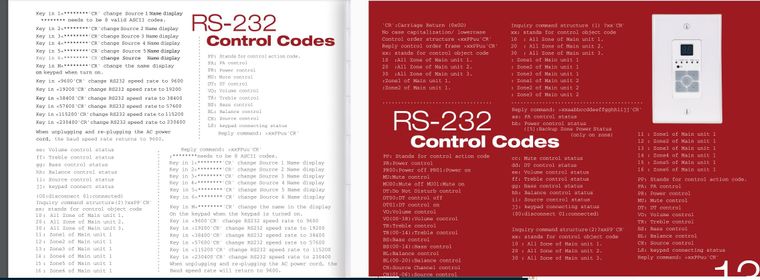
-
I just spoke with the creator of the monoamp software. Using the command "curl "http://localhost:50233/api/ValueUp?Channel=1&command=Power" allows you to use it like a switch in smart things. Each time you call the command it will change the value 010101010 etc.
-
@clconner09 This is huge!!! Thanks for the share!! I want to be ablle to turn on Zones by Smartthings and/or Alexa. Any additional input you have on this would be great!!
-
@clconner09 said in MonoAMP from monoprice 6 zone amplifier:
"curl "http://localhost:50233/api/ValueUp?Channel=1&command=Power"
I used this in a batch file and made a smartthings switch for each zone. Here is the sample for the batch file (thanks for the idea.

if "%1"=="on" curl "http://localhost:50233/api/Value?Channel=5&Property=PR&value=1
if "%1"=="off" curl "http://localhost:50233/api/Value?Channel=5&Property=PR&value=0 -
I just did something similar. I have a one script called OfficePower.bat with the code:
curl "http://localhost:50230/api/ValueUp?Channel=3&command=Power"
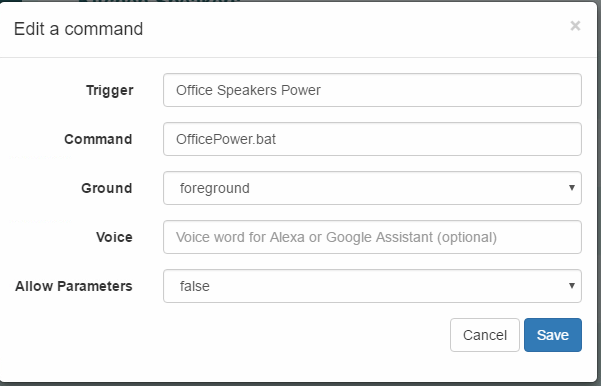
This a switch in smart things which I can just say 'Hey Google, turn off Office Speakers' or 'Hey Google, turn on Office Speakers'. Fortunately, smart things doesn't care what "state" the switch is in, it will execute regardless.
Then I created a second script called OfficeSource.bat with the code:
curl "http://localhost:50230/api/Value?Channel=3&Property=PR&value=1"
if "%1"=="Chromecast" curl "http://localhost:50230/api/Value?Channel=3&Property=CH&value=5"
if "%1"=="PC" curl "http://localhost:50230/api/Value?Channel=3&Property=CH&value=1"
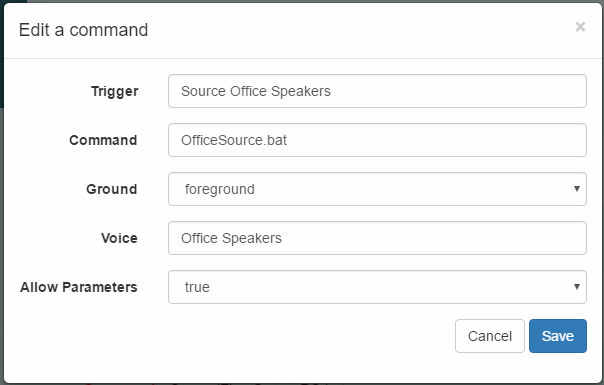
I use the command "Hey Google, ask TRIGGERcmd to run office speakers with parameter PC." or "Hey Google, ask TRIGGERcmd to run office speakers with parameter Chromecast."
-
@clconner09 that is awesome!! I just figured out how to switch between Spotify devices. it is a .vbs file I made in notepad. Works like a champ. You can change the amount of times it hits the TAB button (to select different devices) by changing the 3 in "{TAB 3}". I have made multiple identical scripts with the only change being this number. I made Trigger commands that I trigger with Alexa through Smartthings. "Alexa turn on device 3"
Set WshShell = WScript.CreateObject("WScript.Shell")
Comandline = ":\Users*YOUR COMPUTER NAME*\AppData\Roaming\Spotify\Spotify.exe"
CreateObject("WScript.Shell").Run("spotify:")
WScript.sleep 1000
WshShell.SendKeys "^{d}"
WScript.sleep 1000
WshShell.SendKeys "{TAB 3}", True
WScript.sleep 1000
WshShell.SendKeys " " -
@clconner09 I just started this and created a file called Power.bat:
curl "http://192.168.1.150:50233/api/ValueUp?Channel=%1&command=Power"
Then create the trigger with a variable by running "Power 0"
This will turn on /off Zone 1, For Zone 2 it would be "Power 1" etc... -
@nate-hales said in MonoAMP from monoprice 6 zone amplifier:
Check out this video for detailed instructions:
https://www.youtube.com/watch?v=fHB_gjc1w8QChange volume of a zone:
curl "http://localhost:50233/api/Value?Channel=0&command=Volume&value=15"Change input (aka channel) of zone 0:
curl "http://localhost:50233/api/Value?Channel=0&Property=CH&value=1"Power on zone 0:
curl "http://localhost:50233/api/Value?Channel=0&Property=PR&value=1"Are these the only commands that you have?
Thanks
Ken
Hello! It looks like you're interested in this conversation, but you don't have an account yet.
Getting fed up of having to scroll through the same posts each visit? When you register for an account, you'll always come back to exactly where you were before, and choose to be notified of new replies (either via email, or push notification). You'll also be able to save bookmarks and upvote posts to show your appreciation to other community members.
With your input, this post could be even better 💗
Register Login