Lock your screen Mac
-
What is command lock screen?
Tks
-
@Ricardo-Machado, please try this command:
/System/Library/CoreServices/Menu\ Extras/User.menu/Contents/Resources/CGSession -suspendI found that here btw.
-
@Russ said in Lock your screen Mac:
/System/Library/CoreServices/Menu\ Extras/User.menu/Contents/Resources/CGSession -suspend
correct operation

-
On my Mac this command is not working. Anyone else with the same problem? Any new solutions?
No meu Mac esse comando não está funcionando. Alguém mais com o mesmo problema? Alguma nova solução?
-
@Italo-Rodrigues, does it work if you run that command from a Mac terminal window? Please try that and screenshot the result.
-
hola,tengo el mismo problema que @Italo-Rodrigues
lo ejecute en la terminal y no me funciono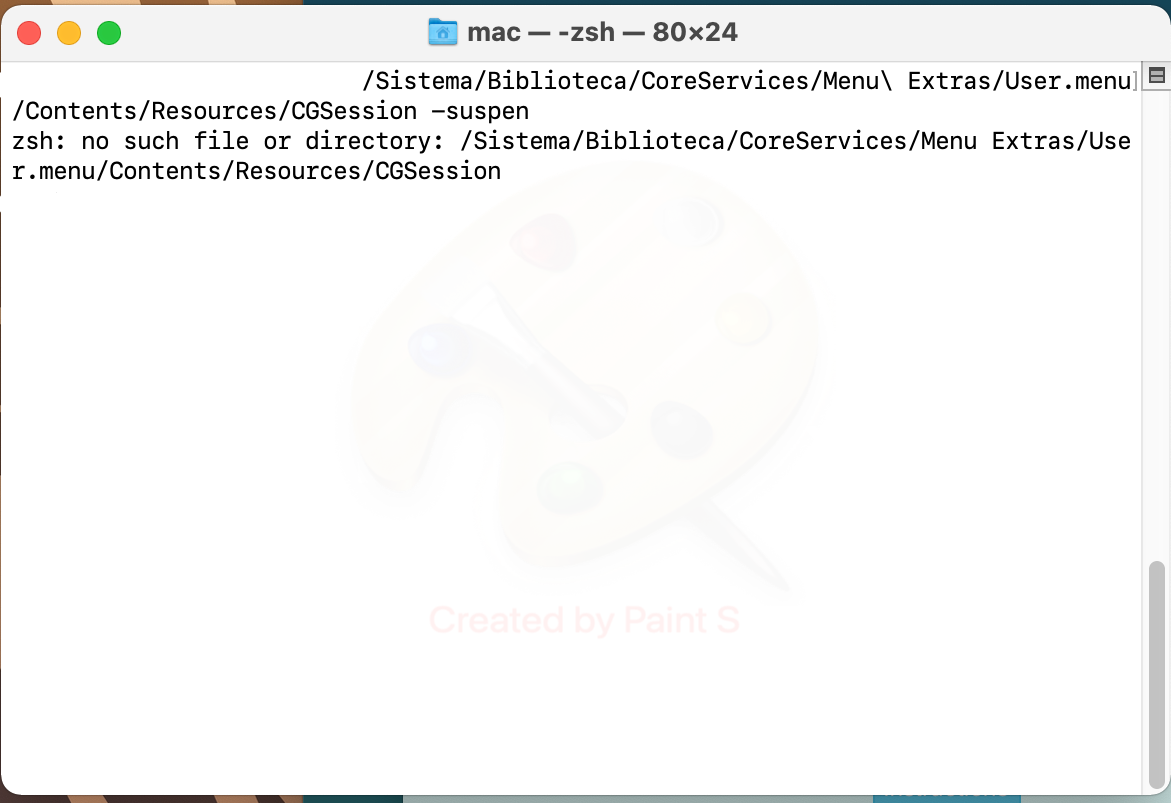
-
@Daniel-Garcia, I found here that Apple removed that CGSession binary in MacOS Big Sur, so please try this command instead:
osascript -e 'tell app "System Events" to key code 12 using {control down, command down}' -
@Russ said in Lock your screen Mac:
osascript -e 'tell app "System Events" to key code 12 using {control down, command down}'
Gracias,ya me funciono




Hello! It looks like you're interested in this conversation, but you don't have an account yet.
Getting fed up of having to scroll through the same posts each visit? When you register for an account, you'll always come back to exactly where you were before, and choose to be notified of new replies (either via email, or push notification). You'll also be able to save bookmarks and upvote posts to show your appreciation to other community members.
With your input, this post could be even better 💗
Register Login