Pause movie on Netflix
-
Hello Russ, is there a command that allows you to pause and unpause the movie on Netflix?
-
@Robertofilho, assuming you're watching Netflix in Chrome in Windows, try this batch file:
nircmd win activate process chrome.exe
nircmd win max process chrome.exe
nircmd sendkeypress spc
You'll need to download nircmd first.
https://www.nirsoft.net/utils/nircmd2.html#usingPut nircmd.exe in one of the folders in your PATH environment variable points to, or you can specify the path where you put it like this:
c:\tools\nircmd.exe sendkeypress spc -
Hello, Russ!
I didn't manage to do as you said. What I did was:
Extracted the NirCmd files to c:\tools,
and added the folder c:\tools to my PATH enviroment as you can see in the image below:
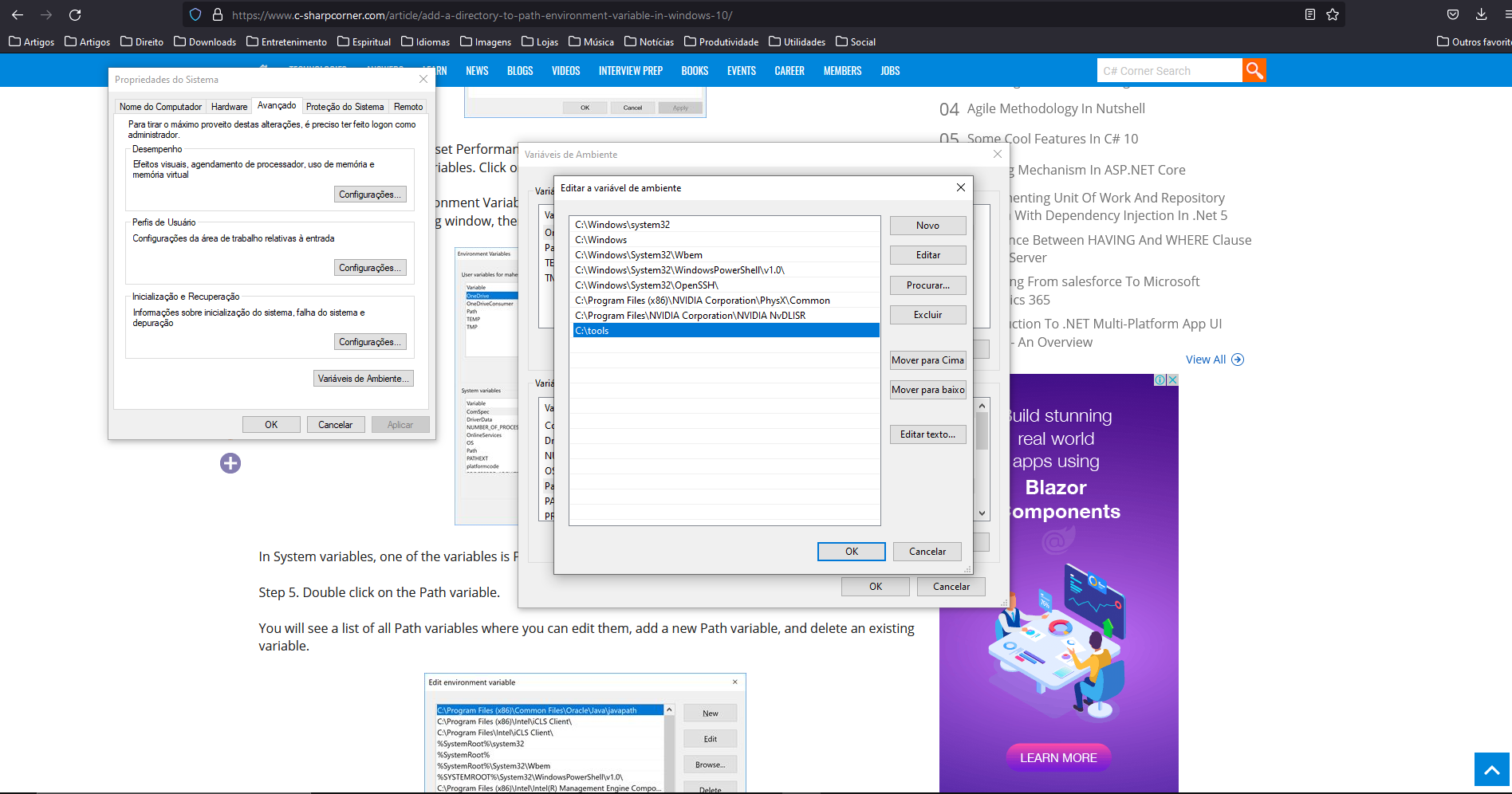
But when I run the commands you asked for I get this:
'nircmd' não é reconhecido como um comando interno
ou externo, um programa operável ou um arquivo em lotes.My PC is in Brazilian Portuguese but translating it would be:
'nircmd' is not recognized as a intern or extern command, an executable or a batch file.What did I do wrong?
-
@pedrosaude, that c:\tools entry in your PATH variable looks good, can you show me your c:\tools folder too? I just want to confirm nircmd.exe is in there.
I have 3 ideas.
- Maybe you tested running nircmd without closing and re-opening your cmd window first, so in that cmd window it wasn't in the PATH. You can see your variables if you type set in your cmd window.
- In your .bat file you could specify the full path to nircmd.exe like this:
c:\tools\nircmd.exe win activate process chrome.exe c:\tools\nircmd.exe win max process chrome.exe c:\tools\nircmd.exe sendkeypress spc- You could try using the "Copy To Windows Directory" button instead of putting it in the c:\tools folder and adding c:\tools to your PATH. C:\Windows is already part of your PATH.
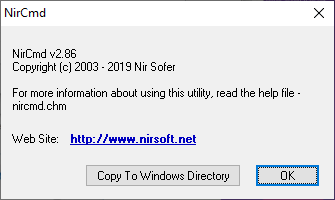
-
@Russ
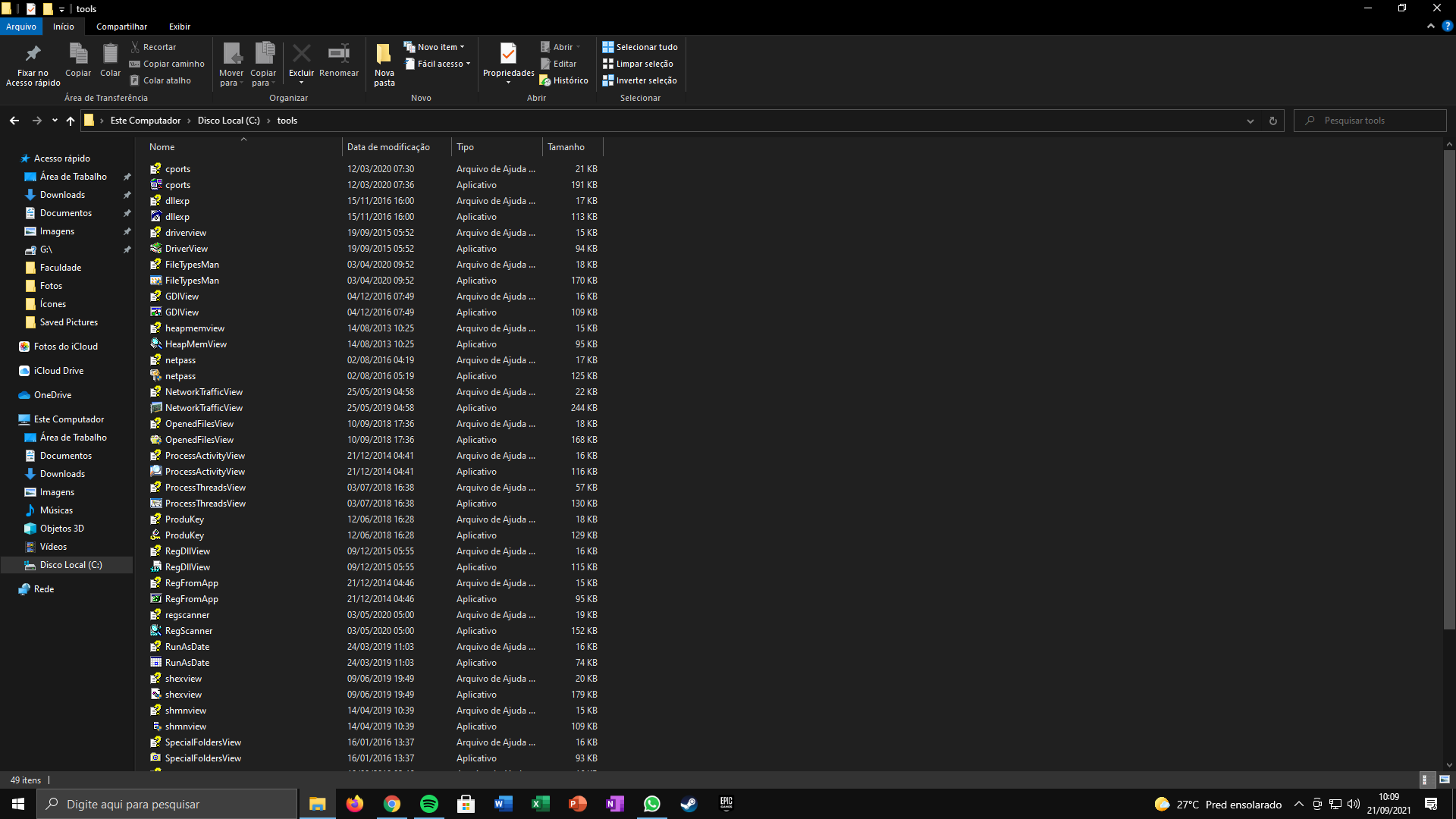
nircmd.exe is not there...
I'm not sure which file to download... -
@pedrosaude , you can find the download link at the bottom of this page:
https://www.nirsoft.net/utils/nircmd.html -
@Russ how would i do with opera gx?
-
@Russ Thank you!
-
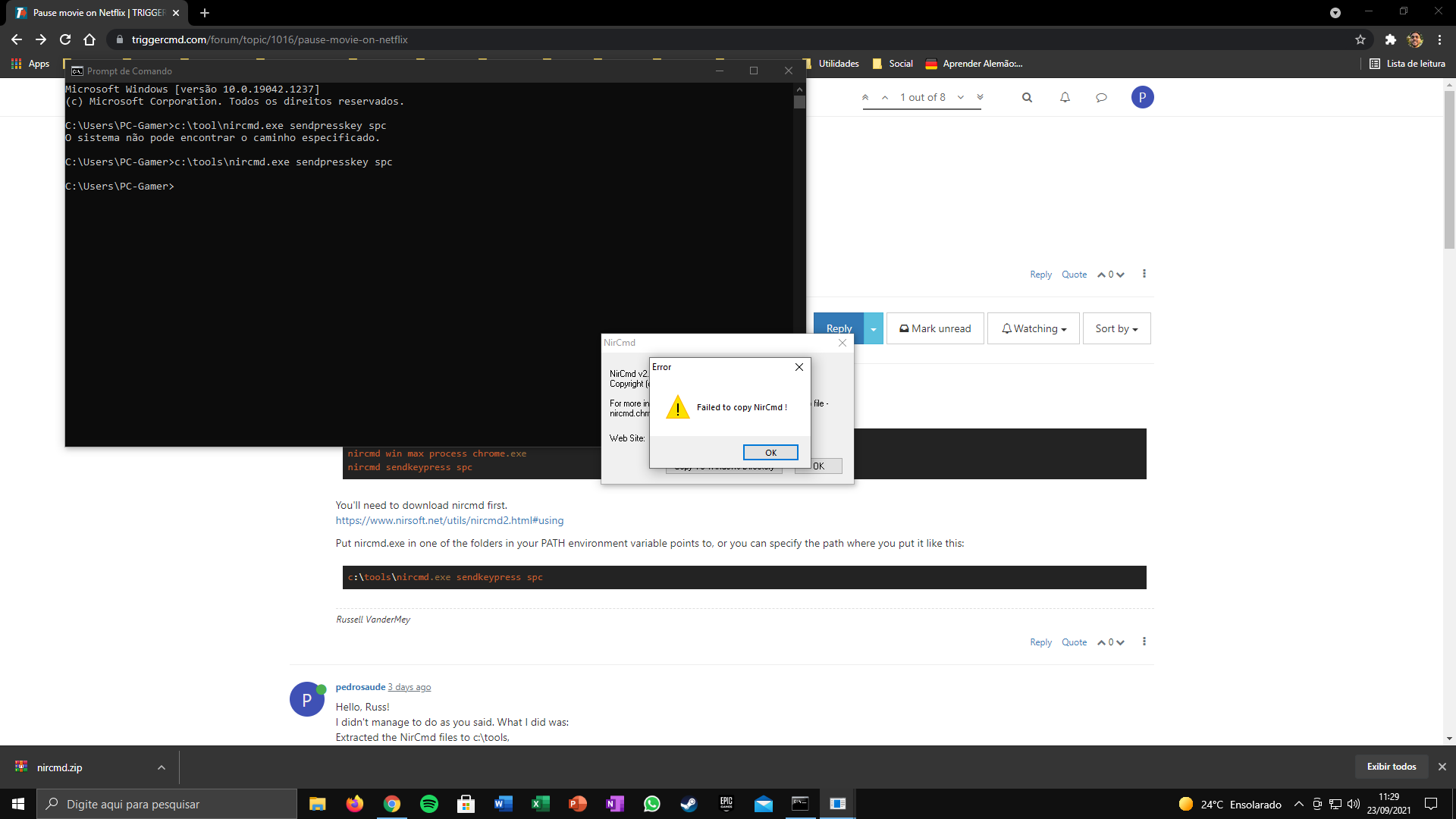
Failed to copy!
-
@pedrosaude watch the video of Russ https://www.youtube.com/watch?v=xub4pjenLVs



Hello! It looks like you're interested in this conversation, but you don't have an account yet.
Getting fed up of having to scroll through the same posts each visit? When you register for an account, you'll always come back to exactly where you were before, and choose to be notified of new replies (either via email, or push notification). You'll also be able to save bookmarks and upvote posts to show your appreciation to other community members.
With your input, this post could be even better 💗
Register Login