• Not Showing Up In WebCore

    3
    0 Votes
    3 Posts
    1k Views
    W
    I got it working. It turns out that when you add a TRIGGERcmd command to the Webcore device list on your SmartPhone (Webcore > Settings > Available Devices), you have to scroll way down the screen to the Switches section. Normally most devices will show up at the top in the Actuators section.
  • RIP Trigger CMD

    2
    0 Votes
    2 Posts
    1k Views
    RussR
    @hellomiakoda, when I uploaded the .deb file last time I updated it, apparently I forgot to make it public.
  • FORBIDDEN!

    Moved
    2
    0 Votes
    2 Posts
    747 Views
    RussR
    @hellomiakoda, thanks for telling me. Please try again. It should work now.
  • Almost nothing works well with my TriggerCMD

    4
    0 Votes
    4 Posts
    1k Views
    Y
    @russ Thanks! I will try it
  • Is the Goolge Home TriggerCMD app working?

    3
    0 Votes
    3 Posts
    1k Views
    M
    Just tried it out and it works! Thanks!!
  • Google has removed the trigger command skill.

    3
    0 Votes
    3 Posts
    1k Views
    RussR
    @jebus-jones, please try again. It should work now. I'm sorry it took so long to fix. I put some details about the problem here: https://www.triggercmd.com/forum/topic/399/is-the-goolge-home-triggercmd-app-working
  • After Windows update, Cannot reinstall Agent

    2
    0 Votes
    2 Posts
    631 Views
    K
    Please disregard. I figured out that I had to remove the current listed PC in the web console, and then it allowed me to add token.
  • Turning on and off motion detection when i leave the house

    2
    0 Votes
    2 Posts
    761 Views
    RussR
    @thecussen, awesome. Thanks for sharing your use case.
  • Multiple windows users same computer

    1
    0 Votes
    1 Posts
    458 Views
    No one has replied
  • GH and X10 no longer working as expected

    5
    0 Votes
    5 Posts
    1k Views
    C
    This makes a lot of sense (because most of the "on" commands are the ones experiencing issues. I'm at work now, but will modify the commands when I return home and post the results. Thanks again for your assistance. UPDATE: The issue is resolved. Removing the "on" from the end of the voice field fixed the problem. Thanks again!
  • smartthings error after reinstalling windows

    2
    0 Votes
    2 Posts
    1k Views
    P
    hello all i have now figure it out how to fix this issue, i will give you the solutiont, if the administrator thinks its not really an issue please delete this whole topic. turns out i had to go to smartthings gui and delete the smartapp from "my smartapps tab", i was just deleting the switch and the smarthome app from smarthings, but for some reason the smartapp just kept the old token and not the new one when i add my computer again in the triggercmg website i figure this out by consulting live logging on the smartthings gui. its all working now, thanks
  • Error after installing Agent

    2
    1
    0 Votes
    2 Posts
    697 Views
    RussR
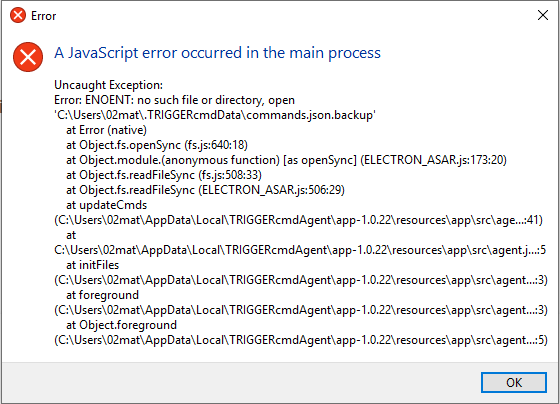
    @mats-gloppen, that might be due to your antivirus software. Can you try disabling AV and running the TRIGGERcmd agent again? It probably just needs to be disabled during the first run. Also, which antivirus software do you have?
  • Can't find triggercmd in Google Home

    5
    0 Votes
    5 Posts
    2k Views
    T
    @russ Thanks for checking. GA could do everything else but claimed it just couldn't get a "response" from TriggerCMD, everything was good on my end too. The next morning GA connected to T CMD just fine with first request when I woke. Was certainly temporary. I think almost 17 months with T CMD and had never had anything like that happen before while I still had internet at my house. I've had internet down before and GA usually responds by telling me it can't reach internet. I've gotten spoiled leaving lights on way to bed and saying my "All Lights Off" command as I pull the blankets up. Kinda sucked to grab my old bedside x10 rf remote that hasn't been used in over a year to find the batteries dead too... lol. Had to climb out of bed and do it the old fashion way. Life was rough that night like it was back in 2009...
  • Bitdefender quarantining triggercmd after new update

    3
    0 Votes
    3 Posts
    921 Views
    RussR
    @anon-qwerty, can you un-quarantine it? I'll add this to my todo list to try to prevent it. Hopefully I can.
  • ActionTiles tile with TRIGGERcmd bookmark URL

    14
    0 Votes
    14 Posts
    7k Views
    RussR
    @djmalcom, I used to have the SmartThings code immediately turn the switch back on every time you turn it off, so effectively it's always on. I left the line that did that remarked out. Just un-remark (remove the //) that off() line. // handle commands def on() { log.debug "Executing 'on'" sendEvent(name:"switch",value:on) parent.on(this) // off() } https://github.com/rvmey/SmartThingsPublic/blob/MSA-2199-2/devicetypes/vandermeyconsulting/triggercmd-switch.src/triggercmd-switch.groovy
  • Install from github repo?

    23
    0 Votes
    23 Posts
    11k Views
    RussR
    @stevef9432203, no, but you could change this line to set your "homedir" to something else. homedir = (process.platform === 'win32') ? process.env.HOMEPATH : process.env.HOME; Or maybe you could symlink your ~/.TRIGGERcmdData folder to a path on your hard drive.
  • Super Confused

    4
    0 Votes
    4 Posts
    1k Views
    RussR
    @cableghost, the SmartThings integration can run a command on your computer, but you can't use the integration to trigger anything in SmartThings - it's a one-way street from SmartThings to TRIGGERcmd servers to your computer. Does EventGhost run a command to turn your lights on or off? If so, you should be able to run the same command with TRIGGERcmd.
  • Raspberry Pi 2 a011041 Not triggering (not running Commands)

    3
    0 Votes
    3 Posts
    915 Views
    F
    @russ Thank you for your quick response. I tried installing the node-legacy but no change. I can trigger from the site and from SmartThings but no commands run. I am running Raspian OS. Should i have uninstalled the npm nodejs first before installing the npm nodejs-legacy? EDIT: For others reading this thread, we found that the Raspberry Pi version 2 runs a very old version of node js, and the latest version of the TRIGGERcmd Pi agent uses a function that requires a newer version. We downgraded the agent to this one and it works fine (and still supports parameters) http://triggercmdagents.s3.amazonaws.com/triggercmdagent_1.0.1_all_pi2.deb EDIT 2: I updated the Raspberry Pi version so now the latest version it works fine on a Raspberry Pi2.
  • Combining commands

    Moved
    4
    0 Votes
    4 Posts
    2k Views
    RussR
    @brad-schmidt, I did some more research and I think I have way that's not terribly difficult. Install nodejs if it's not already installed. Create a folder like: c:\eaglecam Download and unzip the version of the chrome webdriver for your version of Chrome into that folder. http://chromedriver.chromium.org/downloads Copy/paste the code below into a file called play.js in your folder. Open a cmd prompt and type: cd \eaglecam Run: npm install selenium-webdriver Run: node play.js If that works, open the TRIGGERcmd GUI and create a this command: & cd \eaglecam & node play.js const {Builder, By, Key, until} = require('selenium-webdriver'); var driver = new Builder() .forBrowser('chrome') .build(); driver.manage().window().maximize(); driver.get('https://portal.hdontap.com/s/embed/?stream=aef-nefl-CUST-multicam&ratio=16:9&fluid=true') .then(_ => driver.sleep(2000)) .then(_ => driver.findElement(By.className('vjs-big-play-button')).click())
  • How do I edit already created Triggers in TriggerCMD?

    2
    0 Votes
    2 Posts
    1k Views
    RussR
    @zipster1967, you can only edit them using the TRIGGERcmd agent installed on your computer. You can't edit them on the website. If you run Windows, you should have a "tray" icon in the lower-right near your clock. You can right-click that, then click "GUI Command Editor". Then click the pencil next to the commands you want to edit. Please confirm you've gotten that far. The background commands are added/removed by the background service. The foreground commands are added by the foreground agent. That tray icon is part of the foreground agent.