• Help

    6
    0 Votes
    6 Posts
    1k Views
    RussR
    @garym77, please give me more information. Do you have a screenshot of an error or anything? Or can you tell me exactly what happened?
  • Payment not registered

    2
    0 Votes
    2 Posts
    265 Views
    RussR
    @Marqueso, I replied via chat. I think you're all set now, but let me know.
  • Export Current Commands from Command Editor to New Computer

    4
    0 Votes
    4 Posts
    1k Views
    Smart NETS
    I creat 100 commands and need to move them on differnt computers. Is there any practice to use commansds.json from shared google drive? if not pls help me find solution to move them each time i will need that. thanks a lot!
  • Open/play mp3 file on a Mac

    2
    0 Votes
    2 Posts
    483 Views
    C
    I figured it out It's: open /path/to/my/file.mp3 I had an issue with the file that caused it to not work
  • Voice commands only showing up for 1 computer

    10
    0 Votes
    10 Posts
    2k Views
    RussR
    Thanks @Richard-Binckley. I'm glad you guys like it.
  • Play voice command

    3
    0 Votes
    3 Posts
    771 Views
    Richard BinckleyR
    @Russ Thanks.
  • Can the invocation word be changed?

    2
    0 Votes
    2 Posts
    288 Views
    RussR
    @llasolod, I'll look into adding a third name for the legacy skill. I'm leaning toward "TC" as the new skill name. I generally recommend using the "TRIGGERcmd Smart Home" skill though because you don't have to say the skill name at all. It also recognizes your words much better. If you haven't tried it, please do. Unfortunately I think a lot of people find the TRIGGERcmd skill first and don't know about the Smart Home skill where you just have to say "Alexa, turn on calculator" and because you have a smart home device called calculator that Alexa already knows about, she almost always knows what you're saying. EDIT 11/13/2022: I submitted "TC" as a new skill. We'll see if Amazon will accept it. It actually combines the newer "TRIGGERcmd Smart Home" skill with the original TRIGGERcmd and TRIGGER command skills, but with a simpler name to say. EDIT 11/15/2022 The new TC Alexa skill is now live. It works just like TRIGGERcmd and TRIGGER command (not like TRIGGERcmd Smart Home).
  • New agent version with Portuguese and Spanish translation

    4
    0 Votes
    4 Posts
    1k Views
    RussR
    @Mark-Hollis, thank you for the suggestion. I'll add that in the next update. In the meantime you could look at the path to the TRIGGERcmd agent in task manager (assuming windows). It has the version number in the folder path. EDIT: I created version 1.28 of the Windows agent that shows the current version on the tray icon menu. If you click that Version 1.0.28 option, it goes to this page so you can see if you're current. [image: 1667078765294-ad9dcf71-a012-43c2-bfee-bec2c0731c59-image.png]
  • 0 Votes
    2 Posts
    1k Views
    RussR
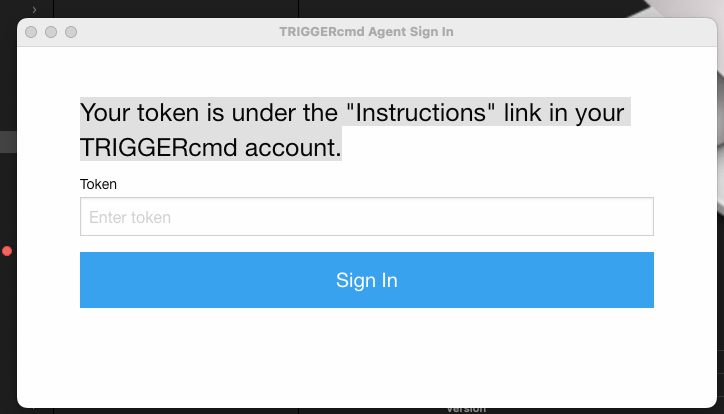
    @garym77, if you're logged into your account at https://triggercmd.com, there are 2 ways to find it. You can click your name in the upper-right, and click Profile: [image: 1665948250703-c9815d16-2fb7-41a0-ab89-7f116059927e-image.png] Then you'll see this button and your token above it: [image: 1665948340940-5a1b2829-e44a-4fda-a7a8-cc8861e2567c-image.png] Or, you can click the "Instructions" link on the left. You won't see that side panel if you're on a phone in portrait mode. Turn your phone 90 degrees for landscape mode and you'll see it on the left. [image: 1666138314948-b3447a82-f435-4b84-8abb-57cd4f7f4081-image.png]
  • Alexa cant voice reply in echo dot

    2
    0 Votes
    2 Posts
    383 Views
    RussR
    @Guilherme-Aquino, what if instead of using the routine, you say, "Alexa, ask TRIGGER C M D to run script" to your Echo device? Does it say the result of the script? Also, you wrote, 'when i run the routine and choose "echo" instead "my smartphone device"'. Did you mean you switched the FROM field in the routine from "This mobile device" to name name of our echo device, and that's all you changed? I'm not sure yet because your echo device should be able to say the result just as well as your smart phone's Alexa app. I just tried it and it worked for me. It should only beep if you're using the TRIGGERcmd Smart Home Alexa skill. [image: 1665450898941-4c34119b-dbfd-40cb-9140-b78c5e1469f5-image.png]
  • Signed with an e-mail and paid in PayPal with another

    6
    0 Votes
    6 Posts
    631 Views
    RussR
    @Cristiano-Hoshikawa, awesome. You're welcome.
  • My account doesn't show I'm subscribed

    10
    0 Votes
    10 Posts
    3k Views
    RussR
    @Cristiano-Hoshikawa, I sent a refund for your subscription. Please try again after you make sure you can trigger commands on your computer.
  • JS SyntaxError

    2
    0 Votes
    2 Posts
    415 Views
    RussR
    @Guilherme-Oliveira said in JS SyntaxError: node C:\Users\XPTO\Desktop\Workspace\bot-ponto\index.js Please try this for your batch file: c: cd C:\Users\XPTO\Desktop\Workspace\bot-ponto node index.js If that doesn't work, please run where node to get the path to node like this: C:\>where node C:\Program Files\nodejs\node.exe Then use the full path to node.exe in your batch file like this: c: cd C:\Users\XPTO\Desktop\Workspace\bot-ponto "C:\Program Files\nodejs\node.exe" index.js
  • Can't run my OneDrive, GoogleDrive Desktop Folders

    5
    2
    0 Votes
    5 Posts
    1k Views
    RussR
    @Oscar-Daniel-Díaz-Carmona, Are you asking how to create a command that opens a folder? If so, please try this: [image: 1662762426130-cadc1017-a664-4d7a-9379-e56addc0843d-image.png] When I triggered that command it opened my D:\music folder in Windows Explorer. [image: 1662762373477-b7b01a6c-dcb8-4ea7-8871-d53aec1644fd-image.png]
  • Applescript Issue

    1
    0 Votes
    1 Posts
    569 Views
    No one has replied
  • Posted URL not working (with an Apple iPad)

    3
    0 Votes
    3 Posts
    932 Views
    A
    @Russ Thank you so much! You made my day <firework emoticon>
  • How can I change spotify device?

    spotify
    6
    0 Votes
    6 Posts
    3k Views
    RussR
    @Marcos-Martinez-Debelluit, this is one method. I used the SoundVolumeView.exe tool from Nirsoft. SoundVolumeView.exe /SetDefault "Realtek*\Device\Speakers\Render" all SoundVolumeView.exe /SetDefault "*USB Audio Device\Device\Speakers\Render" all If I run the above commands while Spotify was playing a tune, it switches my computer's audio output from between my "3- USB Audio Device" (usb headphones) and "Realtek High Definition Audio" (speakers). Notice I shortened the device names that the GUI showed me using the * wildcard. [image: 1661132325663-ae6ca298-41ba-4ae5-969f-18e6e1ace8e7-image.png] I have Spotify set to "This Computer". [image: 1661133138406-cf86c6d7-3906-49a3-909d-765410db633e-image.png]
  • Change voicemeeter banana Hardware Output

    9
    0 Votes
    9 Posts
    4k Views
    FiveF
    @Gustavo-Yrepá I just made a command with NirCMD into voicemeeter to change where the sound is going. Works pretty fine. But i'm still struggling with setting up everything to work with my Macrodroid app (I use it to automate a lot of things.
  • Ligar PC

    2
    0 Votes
    2 Posts
    2k Views
    André Ricardo da CostaA
    @FantasmaJF Veja esse tutorial: https://www.youtube.com/watch?v=2ybc7ObLosI Eu fiz no meu e deu certo. Geralmente, funciona melhor em Desktop. Tomara que seja de ajuda. Vlw!
  • Does triggercmd ever require 2 factor/multi factor authentication?

    4
    0 Votes
    4 Posts
    465 Views
    RussR
    @aidanjalili03, now you can setup MFA. I posted the details in this announcement.