New "Computer" device option for TRIGGERcmd Smart Home Alexa skill users
-
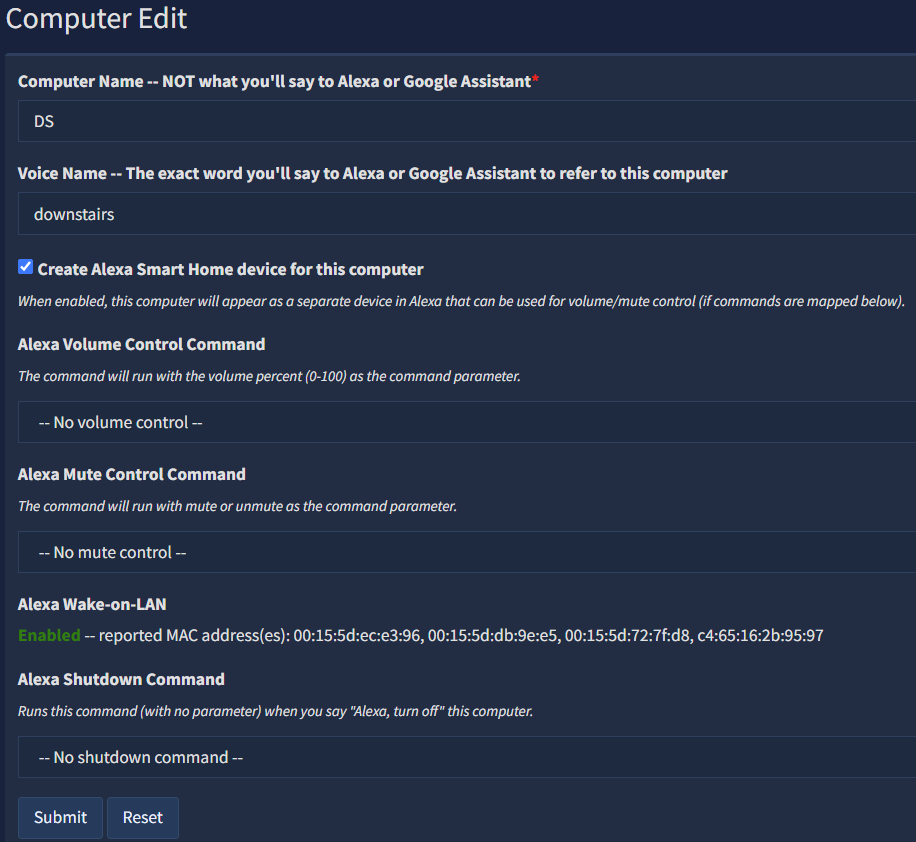
If you check the new Create Alexa Smart Home device for this computer checkbox, you'll get an Alexa Smart Home device that you can use to:
- "Alexa, set X volume to 50 percent" - run the volume control command with 50 (for example) as the parameter
- "Alexa, unmute X" - runs the mute control command with unmute or mute as the parameter
- "Alexa, turn on X" - sends a Wake-on-LAN magic packet from your local Echo device to turn on your computer
- "Alexa, turn off X" - runs the shutdown command
X is your computer's voice word, or its name if you don't have a voice word for it.
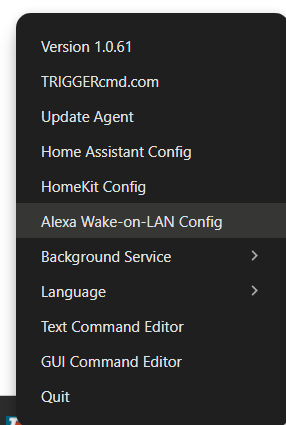
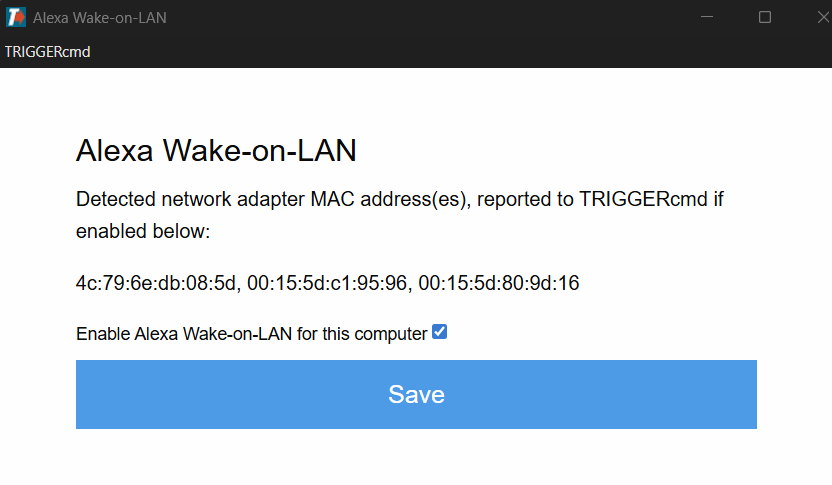
To enable Wake-On-LAN, enable it in your BIOS and test it, then enable it like this:
-
 R Russ referenced this topic on
Hello! It looks like you're interested in this conversation, but you don't have an account yet.
Getting fed up of having to scroll through the same posts each visit? When you register for an account, you'll always come back to exactly where you were before, and choose to be notified of new replies (either via email, or push notification). You'll also be able to save bookmarks and upvote posts to show your appreciation to other community members.
With your input, this post could be even better 💗
Register Login