SmartThings Developer Mode
-
I am just starting out with TRIGGERcmd and SmartThings and have the Cloud Connector setup per the instructions and Deployed to test; however, I cannot for the life of me get the developer mode enabled on the APP. Press and hold for 5 seconds on "About..." in settings isn't working. Is there something I am missing here? I realize this is not the SmartThings forum but figured I would give it a shot here as well.
-
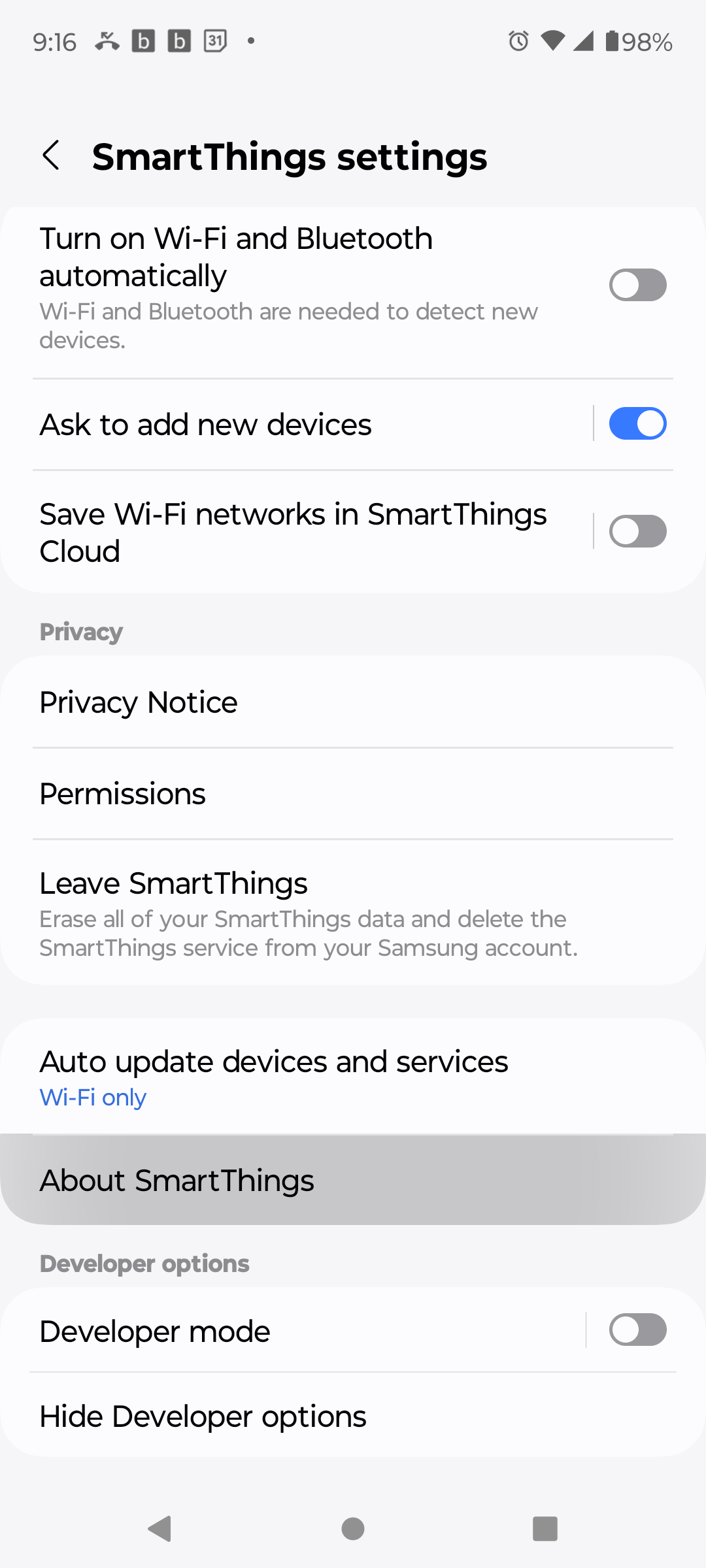
@AZRushFan, have a new phone and I just now re-enabled developer mode in the SmartThings app. I held down About for a long time, maybe 10 seconds just to be sure. It worked for me. I too this screenshot.
-
@Russ I wonder if it is an iOS issue as held it down for well over 10s and no love. I will see if I can locate an Android to test.
-
I have an iPhone with no access to an Android phone and I, too, am unable to access developer mode in the ST app. I have tried deleting the app and re-installing it, but still no success. I have looked in the ST user and developer websites for any information on the problem, but have not found anything helpful. Any suggestions? Thank you.
-
Update: For anybody on the Apple ecosystem, I just used a workaround to solve the iOS ST developer mode problem. I installed the Android Studio on my Mac and used it to emulate an Android phone. I then installed Smartthings on the emulated phone and was able to enter developer mode to link to TriggerCMD.

Hello! It looks like you're interested in this conversation, but you don't have an account yet.
Getting fed up of having to scroll through the same posts each visit? When you register for an account, you'll always come back to exactly where you were before, and choose to be notified of new replies (either via email, or push notification). You'll also be able to save bookmarks and upvote posts to show your appreciation to other community members.
With your input, this post could be even better 💗
Register Login