Controlling Pi-Hole on the Raspberry Pi remotely through Alexa
-
Good Evening, and Sorry for the repeating topic.
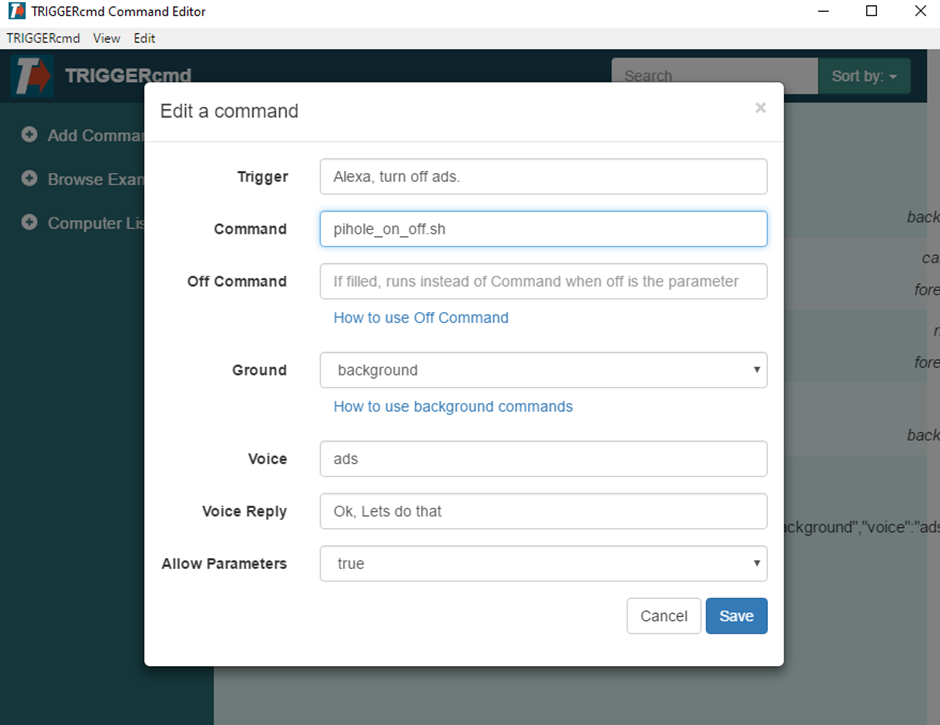
I am trying to control Pi-Hole on my Pi with Alexa Echo device. I have installed Triggercmd ( subscribed to it, to use commands more often.)on Windows 10 laptop . Can I enter a command (pihole_on_off.sh)that allows me to run the script on my Pi without installing triggercmd on Pi.
Sorry again I am quite new in scripting.
Thanks.
-
@georgi_sharkov, yes, you can use ssh to run commands on your Raspberry Pi from your Windows 10 PC without installing a triggercmd agent on the Raspberry Pi.
Install the OpenSSH client in Windows 10 by opening an elevated command prompt (right-click cmd and run as administrator) and running this command:
dism /Online /Add-Capability /CapabilityName:OpenSSH.ClientThen to generate a public/private key pair, run this from a normal cmd prompt, run this and press enter a few times.
ssh-keygenYou'll end up with a .ssh folder with an id_rsa file and an id_rsa.pub file. The id_rsa is your private key, so keep that private. The id_rsa.pub file contains text you need to copy into the authorized_keys file on your Raspberry Pi so you can ssh into the Pi without a password.
Log into your Raspberry Pi as the pi user, or which ever user you use:
ssh pi@garagepiAt this point you'll still need to enter your password.
Once logged in, edit your pi user's ~/.ssh/authorized_keys file, and append the contents of the id_rsa.pub file to the end of that authorized_keys file. If it's empty that's fine. Just paste the contents in and save it.
Now logout, and run this command again:
ssh pi@raspberrypiIf it logs in without a password, you're golden. Now you can run remote commands on the Raspberry Pi like this:
ssh pi@raspberrypi lsIn that case I ran the ls command on the Pi from my Windows box, but you could run any command including a script that enables or disables Pi Hole. For example your Command and Off Command could be these:
ssh pi@raspberrypi ~/pi_hole_on.sh ssh pi@raspberrypi ~/pi_hole_off.sh -
@russ Thank you for the reply and apologies for the late reply from my side. Is it possible to run a curl command in the triggercmd that will be able to deactivate or activate the PiHole?PiHole is installed on the Pi4 and it is accessible through a browser with an internal IP address like 192.168.8.102 from my PC. What will be the command to insert in the triggercmd command line in this case?
-
@georgi_sharkov, you could use Chrome, press F12, find the request under the network tab, then copy the "Copy all as cURL (cmd)" option.
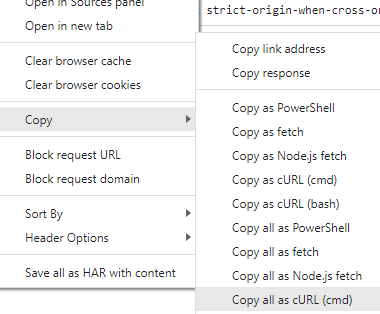
That will give you the curl command, but if there's authentication in the request, it will likely expire after some time.
-
@russ Thank you for the advice. I tried this command:
http://192.168.8.102/admin/api.php?disable=300&auth=
(auth parameter doesn't have any hashed value as I don't have a password setup for Pihole)
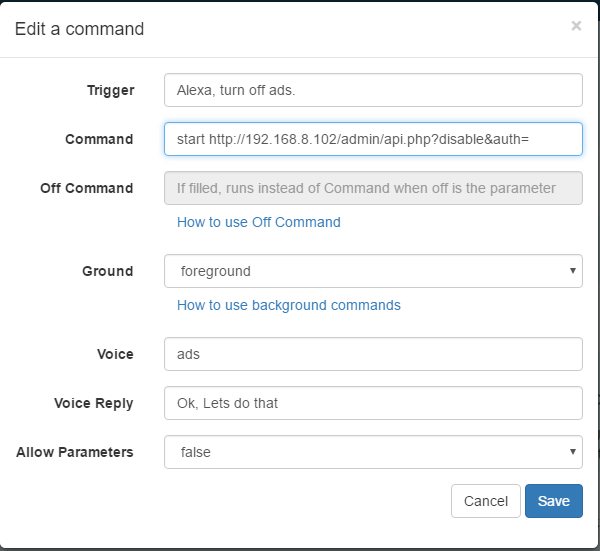
It works just fine if I type it manually in the browser. When I add it to the CMD GUI window command, when I run it with the start command, it shows me the message:
Empty token! Check if cookies are enabled on your system.
All cookies are enabled in the browser. What could be the issue?
Maybe this will help you- when I run the command, it appears in the browser without the last bit
I don't know, maybe I am doing something wrong as I am quite new in this field. -
@russ I added the password to pi-hole and generated the token from web API. New URL that appeared with that token has been added to the TriggerCMD. However, this still doesn't resolve the problem, I am receiving the same message with empty token. Can anyone help with the issue? Where to dig further? Thanks

Hello! It looks like you're interested in this conversation, but you don't have an account yet.
Getting fed up of having to scroll through the same posts each visit? When you register for an account, you'll always come back to exactly where you were before, and choose to be notified of new replies (either via email, or push notification). You'll also be able to save bookmarks and upvote posts to show your appreciation to other community members.
With your input, this post could be even better 💗
Register Login