Not Seeing My Testing Devices in Developer mode
-
So I followed the guide at this link https://www.triggercmd.com/forum/topic/2494/new-smartthings-integration-2023v and I am not seeing "My Testing Devices" once in developer mode.
Is there a newer guide?
Does the Webhook URL need more after the "st" at the end?
I am not sure where I could have gone wrong. -
@AZRushFan, I suspect maybe you didn't close the SmartThings app after you enabled Developer mode. You can't just navigate away from it. Also I think they updated the app so you no longer have to scroll way to the bottom to find My Testing Devices. I see it near the top now.
-
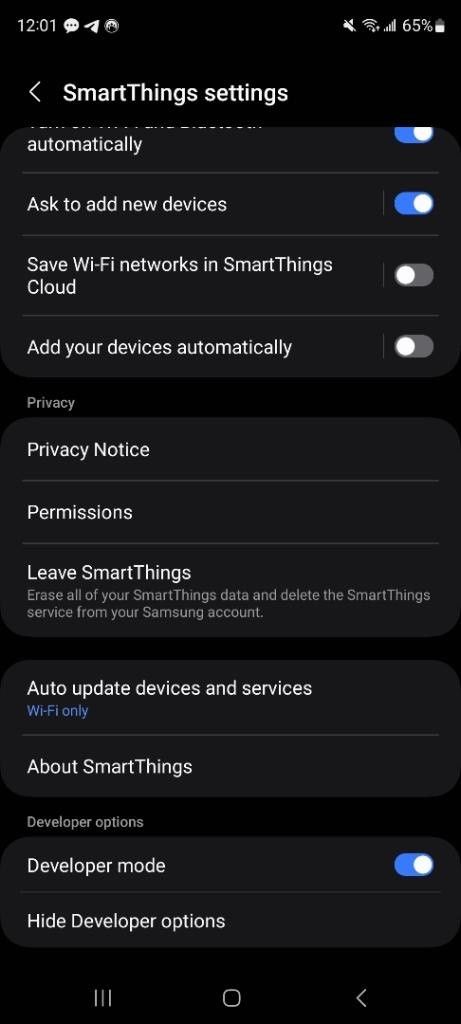
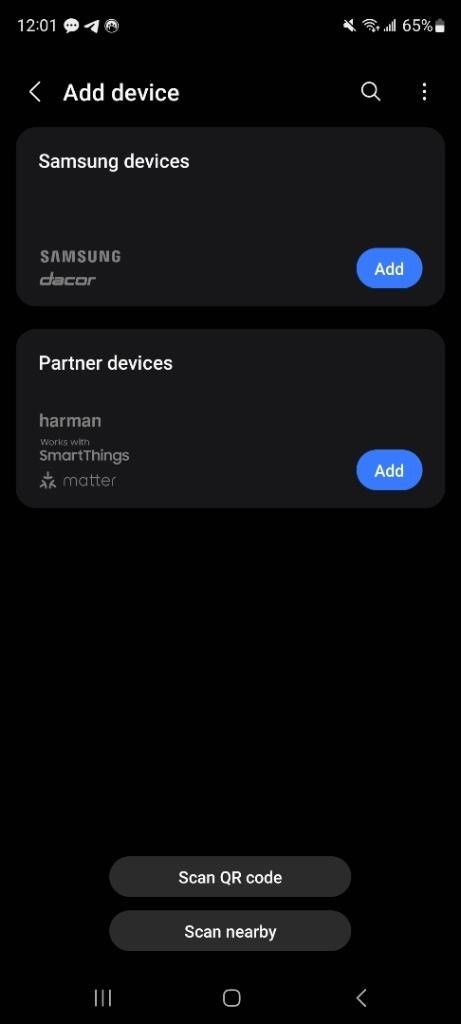
@Russ I signed out/closed the app and then opened it up again. See the below screenshots of the developer mode enabled and add device page.
Developer mode enabled:
Cannot see "My Testing Devices":
I appreciate your assistance. Thank you.

Hello! It looks like you're interested in this conversation, but you don't have an account yet.
Getting fed up of having to scroll through the same posts each visit? When you register for an account, you'll always come back to exactly where you were before, and choose to be notified of new replies (either via email, or push notification). You'll also be able to save bookmarks and upvote posts to show your appreciation to other community members.
With your input, this post could be even better 💗
Register Login