Running "Trigger Commands" via Windows Command Line
-
Heyho,
long time no see When i always get bored, i come back here to play around.
I recently got a new Philips Hue Light in my home. It works via Bluetooth, but my Alexa was able to connect with it so I am able to just turn on/off my light by saying "Turn off/on my light".
Now to TriggerCMD:
I wanna control my light via a Hotkey on my keyboard. I know that the Linux Version can run Commands via CLI, but can Windows do it too? I couldnt find a .exe which supports CLI commands (maybe im blind):
Idea:%TriggerCMDInstallationPath%\TRIGGERCMD-CLI.exe -trigger "Light off" --computer "%computername"This would then run the Command from my PC called "Light off", which would then do the amazon alexa action.
I feel like you prb did this, but i am just blind to find it, prb cuz its late for me
Thanks ^^
Furkan -
ok i think i confuse myself.
I can not make it work to turn on/off my Lights because TRIGGERcmd isnt made for it.But maybe you can do it? Like i only want a way to "talk" to Alexa by saying only like "Alexa, turn on my light". Can triggercmd simulate this?
-
@Furkan-Cevik, you can use TRIGGERcmd to turn your Hue bulb on/off using commands like this:
tcmd -c laptop -t light_on
tcmd -c laptop -t light_off
You can download the tcmd program for Windows here.
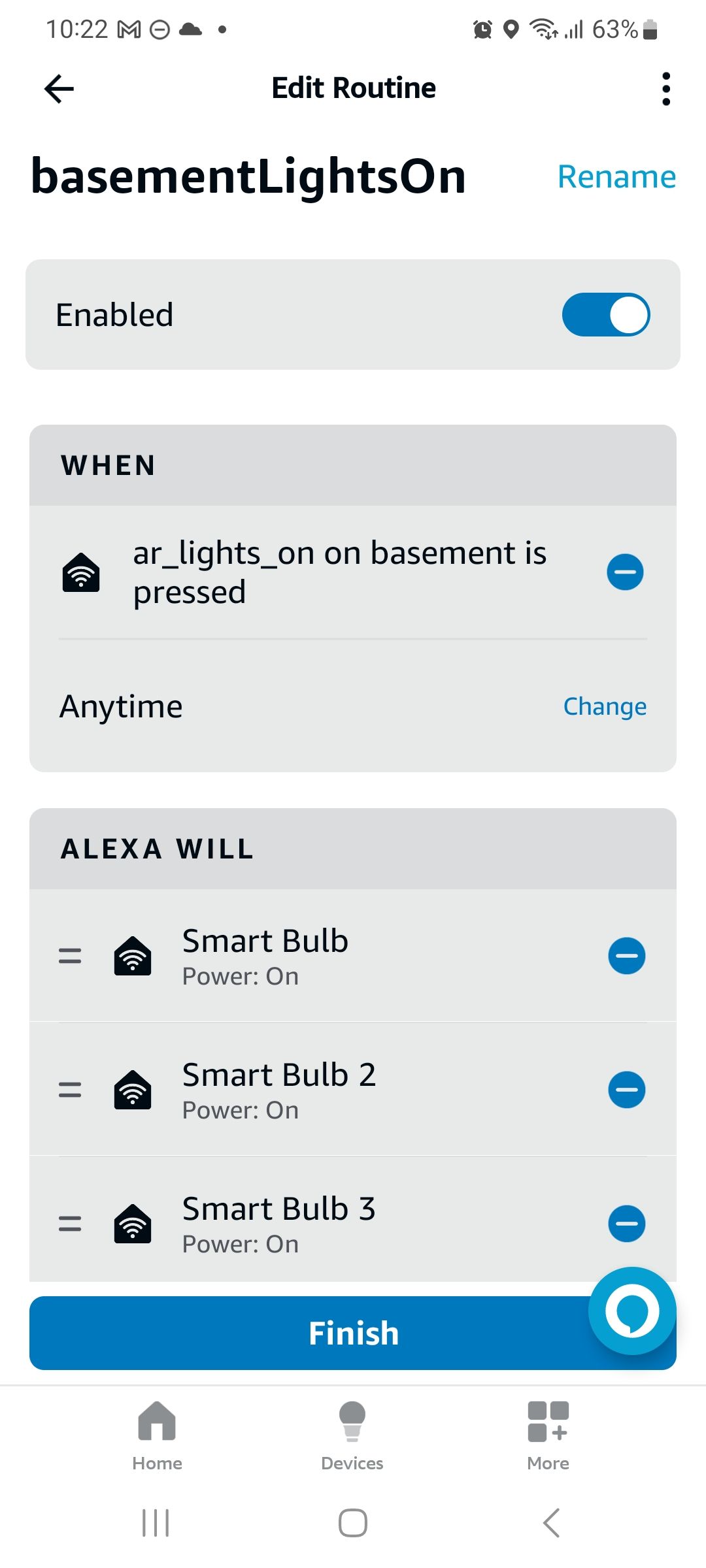
You need to create a light_on and light_off command, then associate the "light_on" command with an Alexa routine that turns on the Hue bulb on, and the "light_off" command with another Alexa routine that turns the Hub bulb off.
See this page for instructions and a Youtube video.
For example, here's my Alexa routine that turns a few lights on whenever I trigger the "ar_lights_on" command.
-
@Russ Cheers Russ, works now perfectly with this

Time to subscribe again after a year
have a nice day ^^ -
@Furkan-Cevik, nice, I'm glad you got it working. Also, thank you for subscribing!


Hello! It looks like you're interested in this conversation, but you don't have an account yet.
Getting fed up of having to scroll through the same posts each visit? When you register for an account, you'll always come back to exactly where you were before, and choose to be notified of new replies (either via email, or push notification). You'll also be able to save bookmarks and upvote posts to show your appreciation to other community members.
With your input, this post could be even better 💗
Register Login