TRIGGERcmd
    • Categories
    • Recent
    • Tags
    • Popular
    • Users
    • Groups
    • Search
    • Register
    • Login

    Problem running on Manjaro KDE

    Scheduled Pinned Locked Moved Linux
    12 Posts 2 Posters 2.6k Views 1 Watching
    Loading More Posts
    • Oldest to Newest
    • Newest to Oldest
    • Most Votes
    Reply
    • Reply as topic
    Log in to reply
    This topic has been deleted. Only users with topic management privileges can see it.
    • P Offline
      PedroMartins
      last edited by

      I've used TriggerCMD in Ubuntu and Pop!_OS for a long time, and it's very useful, but now I've decided switch to Manjaro KDE, but couldn't make it work.

      I followed that tutorial.

      When I run the command node ./src/agent.js --console, that happens:
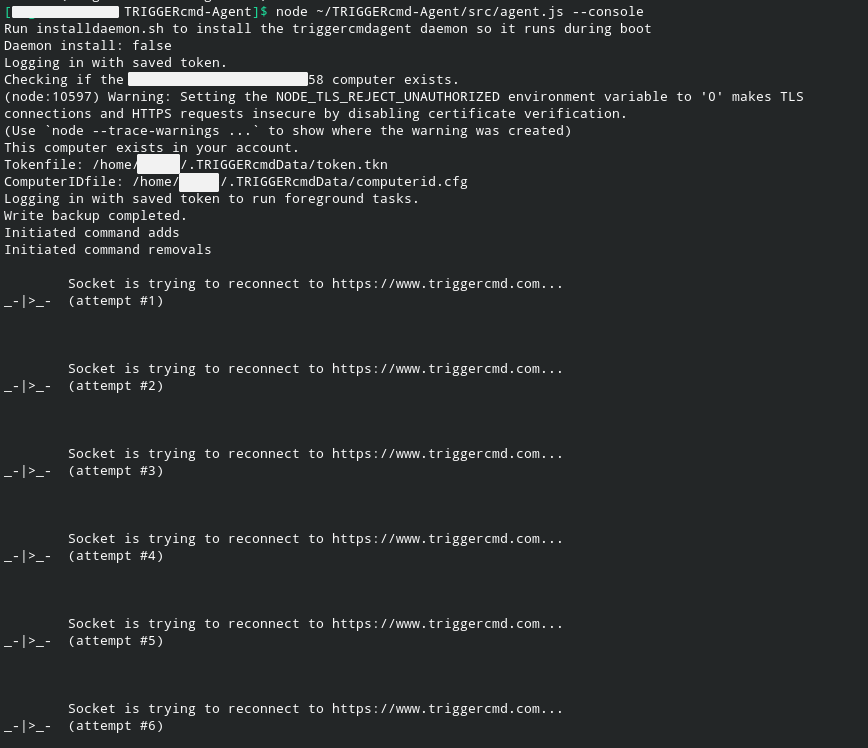
      2021-02-08_06-59.png
      and I can't trigger anything.

      There's anything I'm doing wrong or something I can do to fix it?
      Thanks for any help, and sorry for bad english.

      RussR 1 Reply Last reply Reply Quote 0
      • RussR Offline
        Russ @PedroMartins
        last edited by

        @PedroMartins, I see that my nginx server was out of connections. Would you please try again?

        I saw this in my error.log file: "worker_connections are not enough"

        Russell VanderMey

        1 Reply Last reply Reply Quote 0
        • P Offline
          PedroMartins
          last edited by

          Tested it again, but unfortunatelly the same happened. Actually I've tested it a few days ago, when I switched to Manjaro, and I had that same problem.

          RussR 1 Reply Last reply Reply Quote 0
          • RussR Offline
            Russ @PedroMartins
            last edited by

            @PedroMartins, ok, the websocket isn't connecting but the normal traffic is. Are you accessing the internet through a proxy server? That's one reason you'd have that problem.

            Russell VanderMey

            1 Reply Last reply Reply Quote 0
            • P Offline
              PedroMartins
              last edited by

              No, using just a normal wifi connection.

              RussR 1 Reply Last reply Reply Quote 0
              • RussR Offline
                Russ @PedroMartins
                last edited by Russ

                @PedroMartins, could you try it on another wifi network? That would narrow down the problem. Right now I'm not sure if the problem is on your network or on the Manjaro box. Are there any other computers on your network that are currently connecting to TRIGGERcmd ok?

                Also, please run this and show me the result:

                curl -i -N -H "Connection: Upgrade" -H "Upgrade: websocket" -H "Host: echo.websocket.org" -H "Origin: https://www.websocket.org" https://echo.websocket.org
                

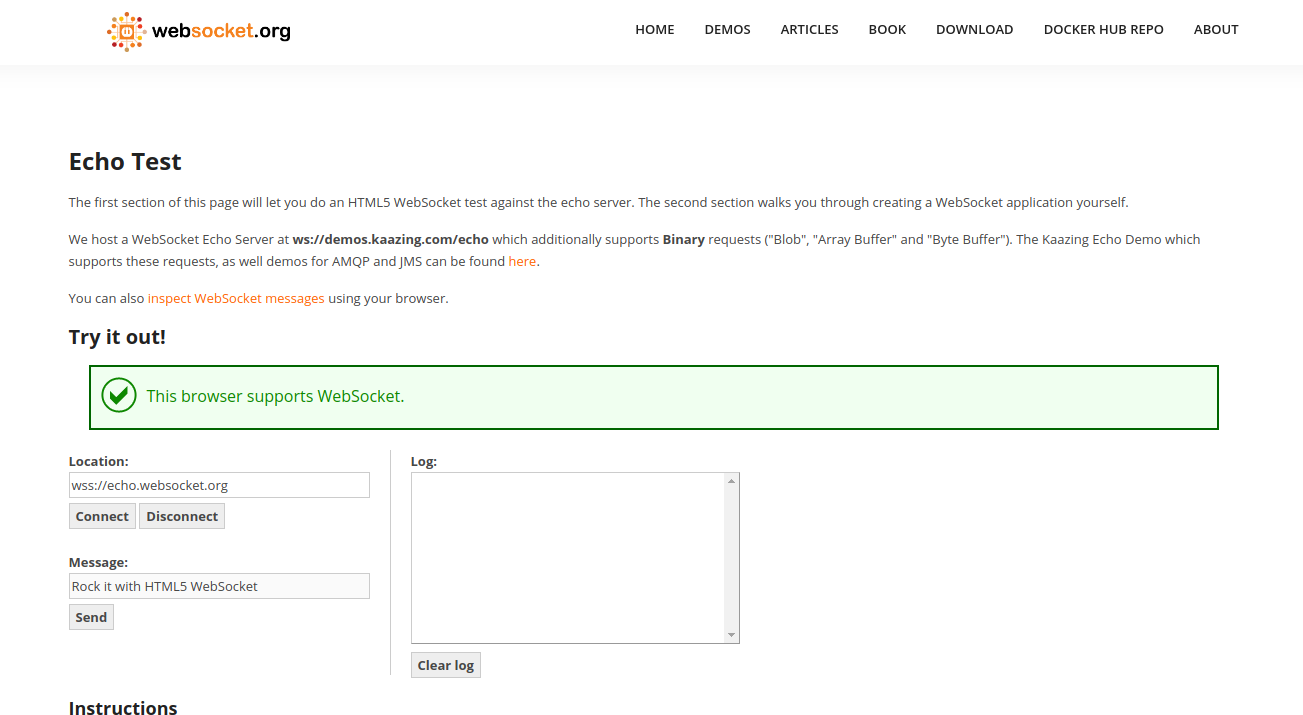
                If you have a browser, you could also go here to test whether you can connect with a websocket.
                https://www.websocket.org/echo.html

                Russell VanderMey

                P 1 Reply Last reply Reply Quote 0
                • P Offline
                  PedroMartins @Russ
                  last edited by

                  @Russ I have made the tests you asked for, here are the results:

                  I don't have another wifi network, but used my phone as a router to make the test:
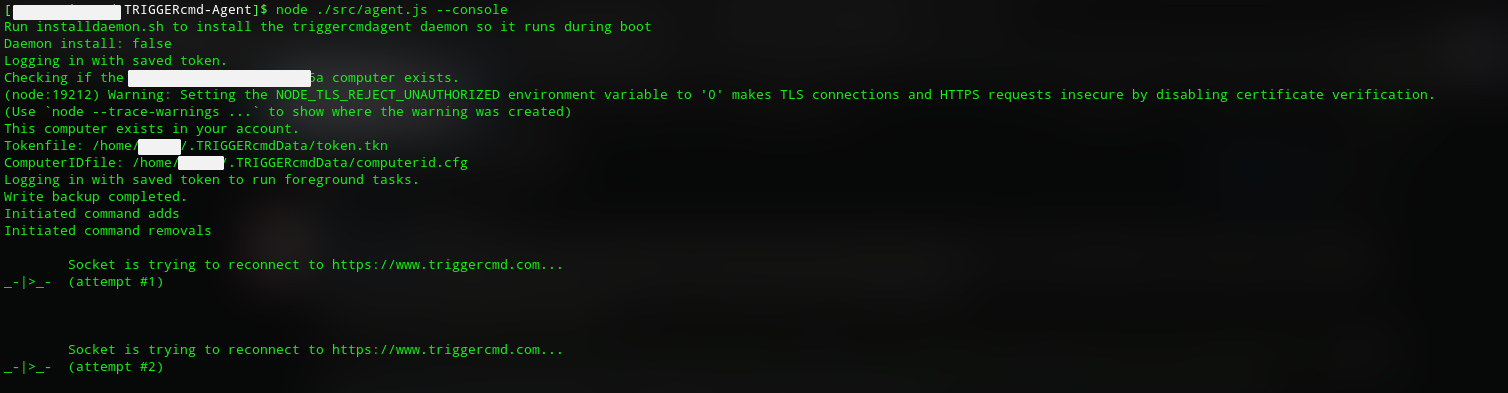
                  cf6f7d41-d41b-491f-b02f-c2e8e7f02707-image.png

                  Only have 1 PC using TRIGGERcmd, but since I have a dual boot I could test it in PopOS, and it's working fine, so manjaro should be the problem.

                  The command terminal:
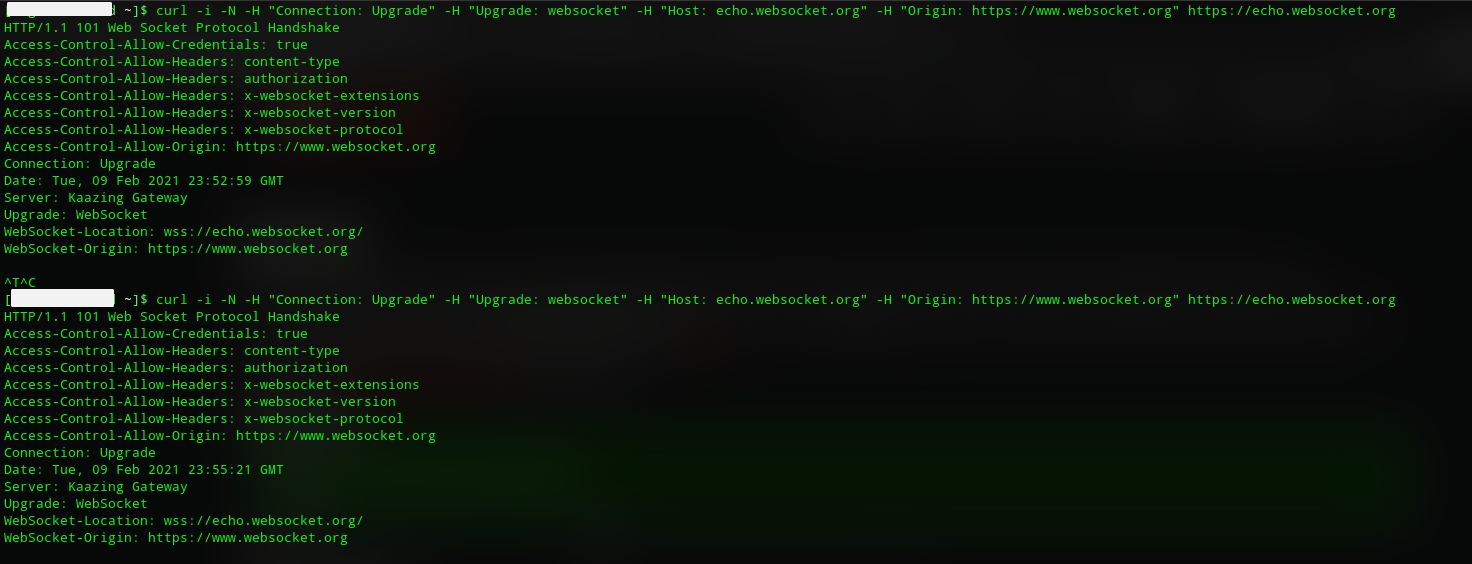
                  3ba167db-c361-40dc-8937-40b35e7f3c40-image.png
                  First test was in my house network and second one in my phone network.

                  Websocket site:
                  07dd6d58-c076-49f3-88da-3c9891582011-image.png

                  RussR 1 Reply Last reply Reply Quote 0
                  • RussR Offline
                    Russ @PedroMartins
                    last edited by

                    @PedroMartins, thanks for those tests. It looks like your network is fine, and your Manjaro box can make websocket connections to other sites, so I think that narrows it down to a problem with the agent.

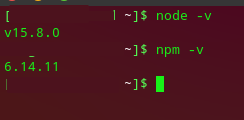
                    Please do another test for me? Please check your version of NodeJS and NPM using these commands:

                    node -v
                    npm -v
                    

                    I'd like to try the agent with the same version of NodeJS.

                    Russell VanderMey

                    P 1 Reply Last reply Reply Quote 0
                    • P Offline
                      PedroMartins @Russ
                      last edited by

                      @Russ said in Problem running on Manjaro KDE:

                      npm -v

                      Yeah, no problem. Here it is:
                      a8dd0062-6fa2-4fbe-8534-a2217a39b889-image.png

                      RussR 1 Reply Last reply Reply Quote 0
                      • RussR Offline
                        Russ @PedroMartins
                        last edited by Russ

                        @PedroMartins, I think I see the problem. That version of NodeJS is too new. It's not compatible.

                        Someone else had the same problem in this post:
                        https://www.triggercmd.com/forum/topic/1112/suddelny-agent-wont-connect/6

                        I think I need to upgrade one of the node modules to be compatible with the newer versions of Node JS. It's probably one of these two:

                            "sails.io.js": "^1.1.4",
                            "socket.io-client": "^2.0.2"
                        

                        That's from the package.json file.

                        You could downgrade the version of Node in the meantime to make it work.

                        Russell VanderMey

                        P 1 Reply Last reply Reply Quote 0
                        • P Offline
                          PedroMartins @Russ
                          last edited by

                          @Russ It worked, I downgraded NodeJS to 14.9.0 and it's working perfectly. I'm still facing trouble to make foreground service run on boot, but that is less important.
                          Thanks for all your help and support!

                          RussR 1 Reply Last reply Reply Quote 0
                          • RussR Offline
                            Russ @PedroMartins
                            last edited by Russ

                            @PedroMartins, good. Sorry about the incompatibility.

                            Russell VanderMey

                            1 Reply Last reply Reply Quote 0
                            • tuicemenT tuicemen moved this topic from Instructions on

                            Hello! It looks like you're interested in this conversation, but you don't have an account yet.

                            Getting fed up of having to scroll through the same posts each visit? When you register for an account, you'll always come back to exactly where you were before, and choose to be notified of new replies (either via email, or push notification). You'll also be able to save bookmarks and upvote posts to show your appreciation to other community members.

                            With your input, this post could be even better 💗

                            Register Login
                            • First post
                              Last post