<?xml version="1.0" encoding="UTF-8"?><rss xmlns:dc="http://purl.org/dc/elements/1.1/" xmlns:content="http://purl.org/rss/1.0/modules/content/" xmlns:atom="http://www.w3.org/2005/Atom" version="2.0"><channel><title><![CDATA[Error Triggercmd Smart Home with google assistant]]></title><description><![CDATA[<p dir="auto">Hi Everyone!</p>
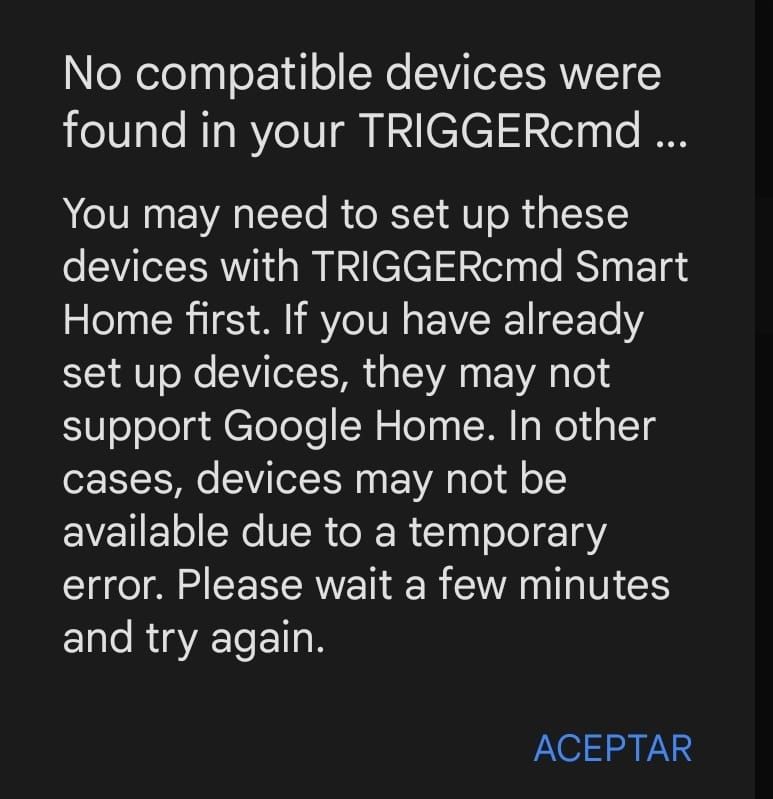
<p dir="auto">When I try to link Triggercmd with Google Assistant it gives me an error and I can't link it correctly.</p>
<p dir="auto"><img src="/forum/assets/uploads/files/1676506921839-whatsapp-image-2023-02-15-at-6.20.39-pm.jpeg" alt="WhatsApp Image 2023-02-15 at 6.20.39 PM.jpeg" class=" img-fluid img-markdown" /></p>
]]></description><link>https://www.triggercmd.com/forum/topic/2542/error-triggercmd-smart-home-with-google-assistant</link><generator>RSS for Node</generator><lastBuildDate>Mon, 20 Apr 2026 16:17:08 GMT</lastBuildDate><atom:link href="https://www.triggercmd.com/forum/topic/2542.rss" rel="self" type="application/rss+xml"/><pubDate>Thu, 16 Feb 2023 00:22:39 GMT</pubDate><ttl>60</ttl><item><title><![CDATA[Reply to Error Triggercmd Smart Home with google assistant on Sat, 27 Jul 2024 16:44:44 GMT]]></title><description><![CDATA[<p dir="auto">Awesome <a class="mention plugin-mentions-user plugin-mentions-a" href="https://www.triggercmd.com/forum/uid/23372">@Valter-Santos</a> !  Thanks for your patience, and for showing me this bug.  I'm working on the fix now.</p>
<p dir="auto">EDIT:  It should be fixed now, so it won't error even if you do have multiple triggers with the same name on the same computer.</p>
]]></description><link>https://www.triggercmd.com/forum/post/8090</link><guid isPermaLink="true">https://www.triggercmd.com/forum/post/8090</guid><dc:creator><![CDATA[Russ]]></dc:creator><pubDate>Sat, 27 Jul 2024 16:44:44 GMT</pubDate></item><item><title><![CDATA[Reply to Error Triggercmd Smart Home with google assistant on Sat, 27 Jul 2024 14:04:06 GMT]]></title><description><![CDATA[<p dir="auto">Thanks's bro, it worked</p>
]]></description><link>https://www.triggercmd.com/forum/post/8089</link><guid isPermaLink="true">https://www.triggercmd.com/forum/post/8089</guid><dc:creator><![CDATA[Valter Santos]]></dc:creator><pubDate>Sat, 27 Jul 2024 14:04:06 GMT</pubDate></item><item><title><![CDATA[Reply to Error Triggercmd Smart Home with google assistant on Sat, 27 Jul 2024 12:56:15 GMT]]></title><description><![CDATA[<p dir="auto">Thank you <a class="mention plugin-mentions-user plugin-mentions-a" href="https://www.triggercmd.com/forum/uid/23372">@Valter-Santos</a>, I see the problem now.  You have 4 commands with Chrome as the trigger name.  Please delete the duplicates and try again.</p>
<p dir="auto">I was able to reproduce the issue with my own account by creating multiple commands with the same name on the same computer.</p>
<p dir="auto">I'm glad you told me about this problem.  I'll work on fixing it somehow.</p>
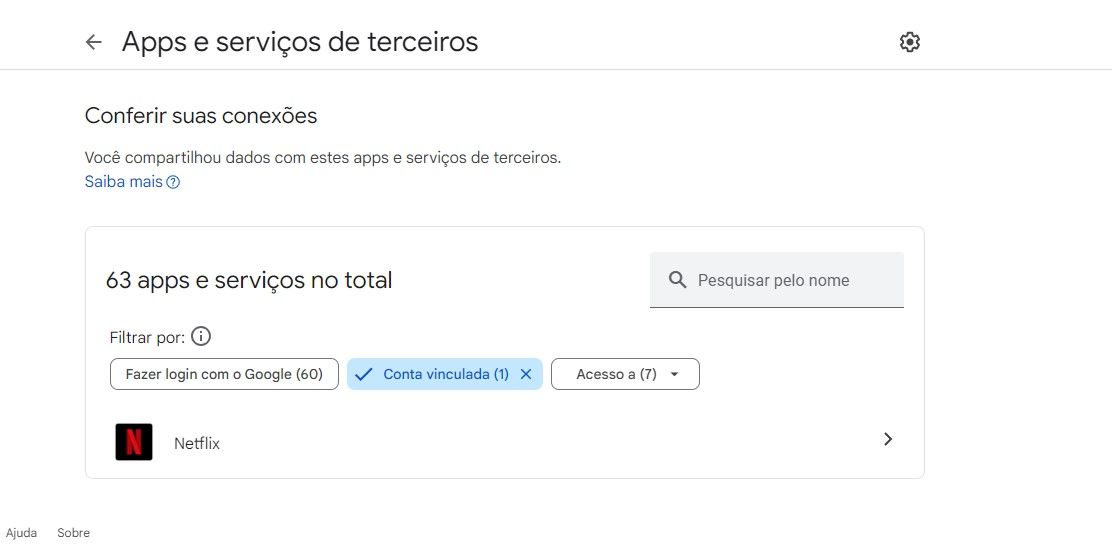
]]></description><link>https://www.triggercmd.com/forum/post/8088</link><guid isPermaLink="true">https://www.triggercmd.com/forum/post/8088</guid><dc:creator><![CDATA[Russ]]></dc:creator><pubDate>Sat, 27 Jul 2024 12:56:15 GMT</pubDate></item><item><title><![CDATA[Reply to Error Triggercmd Smart Home with google assistant on Sat, 27 Jul 2024 00:15:29 GMT]]></title><description><![CDATA[<p dir="auto"><a class="mention plugin-mentions-user plugin-mentions-a" href="https://www.triggercmd.com/forum/uid/1">@Russ</a> i've removed smart things and ifttt, but the error still remains<img src="/forum/assets/uploads/files/1722039191694-captura-de-tela-2024-07-26-211146.jpg" alt="Captura de tela 2024-07-26 211146.jpg" class=" img-fluid img-markdown" /><br />
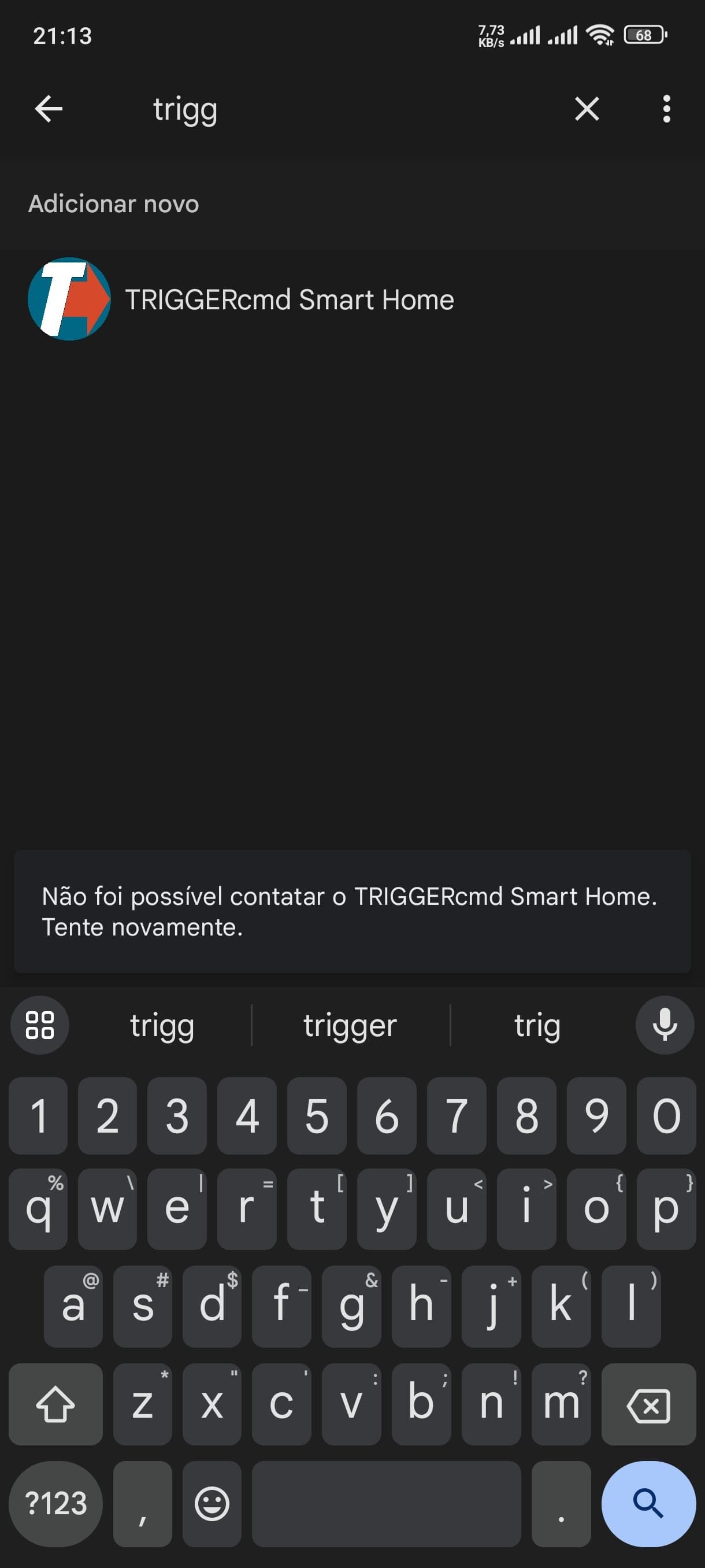
My last try was 21:13 pm from Brazil <img src="/forum/assets/uploads/files/1722039306381-whatsapp-image-2024-07-26-at-21.13.29.jpeg" alt="WhatsApp Image 2024-07-26 at 21.13.29.jpeg" class=" img-fluid img-markdown" /></p>
]]></description><link>https://www.triggercmd.com/forum/post/8087</link><guid isPermaLink="true">https://www.triggercmd.com/forum/post/8087</guid><dc:creator><![CDATA[Valter Santos]]></dc:creator><pubDate>Sat, 27 Jul 2024 00:15:29 GMT</pubDate></item><item><title><![CDATA[Reply to Error Triggercmd Smart Home with google assistant on Fri, 26 Jul 2024 12:37:30 GMT]]></title><description><![CDATA[<p dir="auto">Thank you <a class="mention plugin-mentions-user plugin-mentions-a" href="https://www.triggercmd.com/forum/uid/23372">@Valter-Santos</a>, I found the errors in the log:</p>
<pre><code>SYNC: Request ID 7392140811546959359 update devices failed: INVALID_ARGUMENT. Detail: Duplicated AgentDeviceId.DeviceId [baseVmFsdGVy-Q2hyb21l] in device [type: "action.devices.types.SWITCH"
</code></pre>
<p dir="auto">Did you setup the SmartThings integration with TRIGGERcmd?  If you have SmartThings linked with TRIGGERcmd and Google Assistant (Google Home), and then you tried to link Google Assistant with TRIGGERcmd, that might explain the duplicate device ID error.</p>
<p dir="auto">I've never seen that issue, but I might not have tested that scenario yet.  I will test it soon, and probably build a fix soon so you don't get an error.</p>
<p dir="auto">But, if you have SmartThings linked with TRIGGERcmd and Google Assistant, you should have all of your triggers as SmartThings devices in Google Assistant.  You would have gotten a duplicate of each trigger if the TRIGGERcmd to Google Assistant link would have worked, so I recommend unlinking SmartThings from Google Assistant if you want to link TRIGGERcmd to Google Assistant directly.</p>
]]></description><link>https://www.triggercmd.com/forum/post/8086</link><guid isPermaLink="true">https://www.triggercmd.com/forum/post/8086</guid><dc:creator><![CDATA[Russ]]></dc:creator><pubDate>Fri, 26 Jul 2024 12:37:30 GMT</pubDate></item><item><title><![CDATA[Reply to Error Triggercmd Smart Home with google assistant on Fri, 26 Jul 2024 10:28:41 GMT]]></title><description><![CDATA[<p dir="auto"><a class="mention plugin-mentions-user plugin-mentions-a" href="https://www.triggercmd.com/forum/uid/1">@Russ</a> I've triede just now, 07/26/2024 07:27AM, i'm from Brazil</p>
]]></description><link>https://www.triggercmd.com/forum/post/8085</link><guid isPermaLink="true">https://www.triggercmd.com/forum/post/8085</guid><dc:creator><![CDATA[Valter Santos]]></dc:creator><pubDate>Fri, 26 Jul 2024 10:28:41 GMT</pubDate></item><item><title><![CDATA[Reply to Error Triggercmd Smart Home with google assistant on Fri, 26 Jul 2024 02:23:00 GMT]]></title><description><![CDATA[<p dir="auto"><a class="mention plugin-mentions-user plugin-mentions-a" href="https://www.triggercmd.com/forum/uid/23372">@Valter-Santos</a>, I just tried linking the TRIGGERcmd Smart Home skill and it worked for me.</p>
<p dir="auto">Please try it again and tell me if it still doesn't work, and the time/date.  I'd like to look at the server log and see if it logged anything when you get that error.</p>
<p dir="auto">I'm also not sure whether it was a problem on the Google side or the TRIGGERcmd side yet.</p>
]]></description><link>https://www.triggercmd.com/forum/post/8084</link><guid isPermaLink="true">https://www.triggercmd.com/forum/post/8084</guid><dc:creator><![CDATA[Russ]]></dc:creator><pubDate>Fri, 26 Jul 2024 02:23:00 GMT</pubDate></item><item><title><![CDATA[Reply to Error Triggercmd Smart Home with google assistant on Thu, 25 Jul 2024 14:55:34 GMT]]></title><description><![CDATA[<p dir="auto"><strong>Even following the steps step by step, the error remains, could you help me?</strong><br />
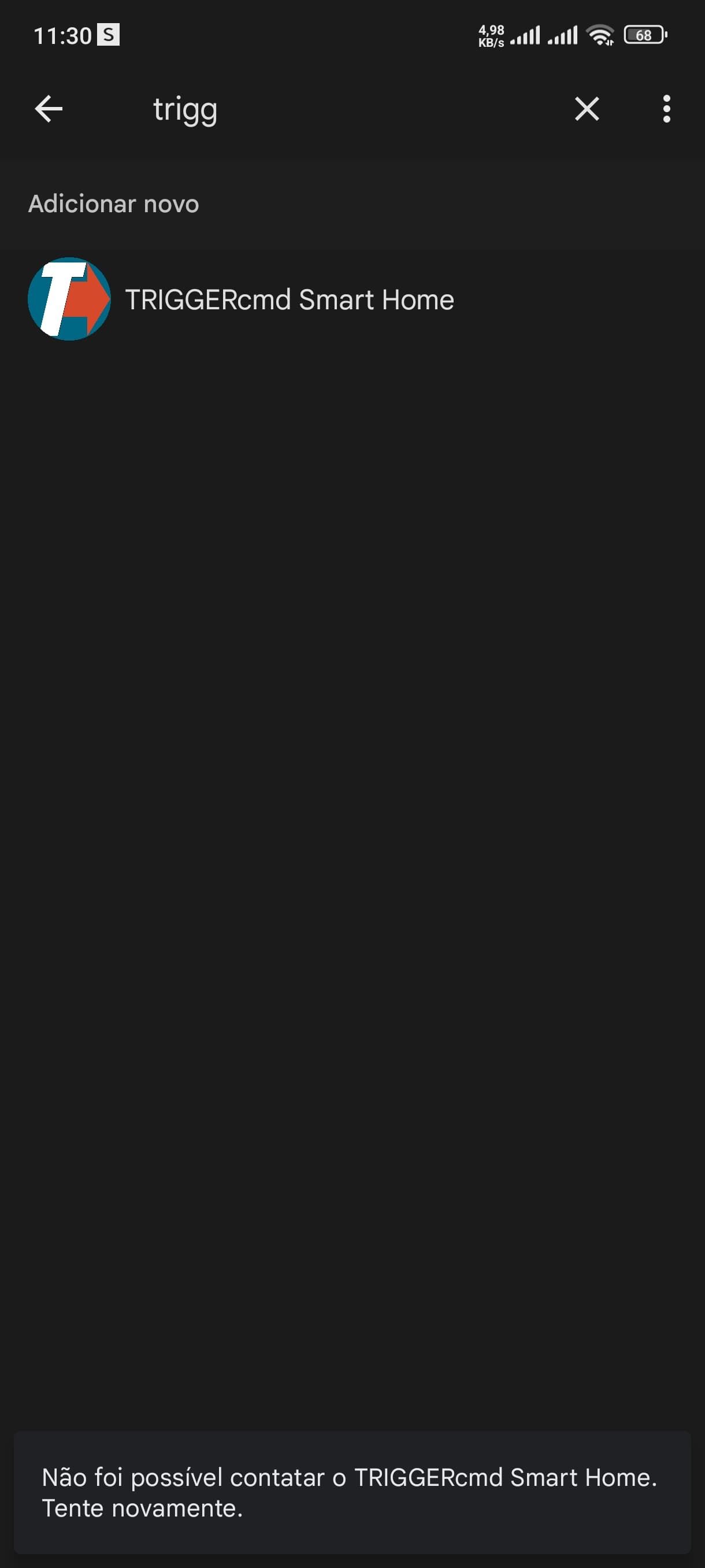
<img src="/forum/assets/uploads/files/1721917905051-whatsapp-image-2024-07-25-at-11.30.53.jpeg" alt="WhatsApp Image 2024-07-25 at 11.30.53.jpeg" class=" img-fluid img-markdown" /></p>
]]></description><link>https://www.triggercmd.com/forum/post/8083</link><guid isPermaLink="true">https://www.triggercmd.com/forum/post/8083</guid><dc:creator><![CDATA[Valter Santos]]></dc:creator><pubDate>Thu, 25 Jul 2024 14:55:34 GMT</pubDate></item><item><title><![CDATA[Reply to Error Triggercmd Smart Home with google assistant on Thu, 16 Feb 2023 13:34:24 GMT]]></title><description><![CDATA[<p dir="auto"><a class="mention plugin-mentions-user plugin-mentions-a" href="https://www.triggercmd.com/forum/uid/8611">@Daniel-Garcia</a>, I see in your account you have some commands now.  I see you ran one of them twice via the TRIGGERcmd Smart Home Google Assistant action.</p>
<p dir="auto">Now you can say, "Hey Google turn on Youtube" to run your command with Youtube as the voice word because it created a smart home device called Youtube.</p>
]]></description><link>https://www.triggercmd.com/forum/post/6777</link><guid isPermaLink="true">https://www.triggercmd.com/forum/post/6777</guid><dc:creator><![CDATA[Russ]]></dc:creator><pubDate>Thu, 16 Feb 2023 13:34:24 GMT</pubDate></item><item><title><![CDATA[Reply to Error Triggercmd Smart Home with google assistant on Thu, 16 Feb 2023 05:24:27 GMT]]></title><description><![CDATA[<p dir="auto"><a class="mention plugin-mentions-user plugin-mentions-a" href="https://www.triggercmd.com/forum/uid/1">@Russ</a> Sure, I already have it<br />
But for some reason I deleted it before, I created it again and now I get this error.</p>
]]></description><link>https://www.triggercmd.com/forum/post/6776</link><guid isPermaLink="true">https://www.triggercmd.com/forum/post/6776</guid><dc:creator><![CDATA[Daniel Garcia]]></dc:creator><pubDate>Thu, 16 Feb 2023 05:24:27 GMT</pubDate></item><item><title><![CDATA[Reply to Error Triggercmd Smart Home with google assistant on Thu, 16 Feb 2023 02:48:38 GMT]]></title><description><![CDATA[<p dir="auto"><a class="mention plugin-mentions-user plugin-mentions-a" href="https://www.triggercmd.com/forum/uid/8611">@Daniel-Garcia</a> , if you're using Windows, you can get to the GUI Command Editor by right-clicking the tray icon, and click GUI Command Editor.</p>
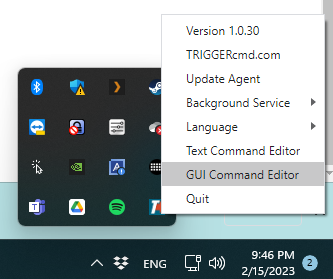
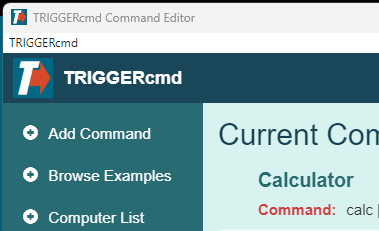
<p dir="auto"><img src="/forum/assets/uploads/files/1676515673983-e2f74efc-afd2-41c4-ab1d-cfc225b5a439-image.png" alt="e2f74efc-afd2-41c4-ab1d-cfc225b5a439-image.png" class=" img-fluid img-markdown" /></p>
<p dir="auto"><img src="/forum/assets/uploads/files/1676515717083-5e9bb12b-f2c8-4780-b598-14c92d2eb254-image.png" alt="5e9bb12b-f2c8-4780-b598-14c92d2eb254-image.png" class=" img-fluid img-markdown" /></p>
]]></description><link>https://www.triggercmd.com/forum/post/6775</link><guid isPermaLink="true">https://www.triggercmd.com/forum/post/6775</guid><dc:creator><![CDATA[Russ]]></dc:creator><pubDate>Thu, 16 Feb 2023 02:48:38 GMT</pubDate></item><item><title><![CDATA[Reply to Error Triggercmd Smart Home with google assistant on Thu, 16 Feb 2023 02:27:07 GMT]]></title><description><![CDATA[<p dir="auto"><a class="mention plugin-mentions-user plugin-mentions-a" href="https://www.triggercmd.com/forum/uid/1">@Russ</a> How do I check this information?</p>
]]></description><link>https://www.triggercmd.com/forum/post/6774</link><guid isPermaLink="true">https://www.triggercmd.com/forum/post/6774</guid><dc:creator><![CDATA[Daniel Garcia]]></dc:creator><pubDate>Thu, 16 Feb 2023 02:27:07 GMT</pubDate></item><item><title><![CDATA[Reply to Error Triggercmd Smart Home with google assistant on Thu, 16 Feb 2023 01:50:30 GMT]]></title><description><![CDATA[<p dir="auto"><a class="mention plugin-mentions-user plugin-mentions-a" href="https://www.triggercmd.com/forum/uid/8611">@Daniel-Garcia</a>, I think the problem is you don't have any commands, or you don't have any commands with the "voice" field filled in.</p>
]]></description><link>https://www.triggercmd.com/forum/post/6772</link><guid isPermaLink="true">https://www.triggercmd.com/forum/post/6772</guid><dc:creator><![CDATA[Russ]]></dc:creator><pubDate>Thu, 16 Feb 2023 01:50:30 GMT</pubDate></item></channel></rss>