Run Commands Remotely on Windows, Mac & Linux

What is TRIGGERcmd?

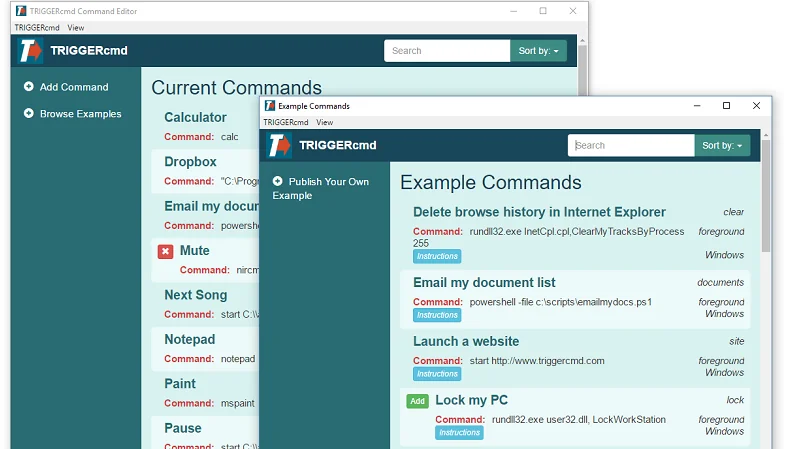
TRIGGERcmd is a cloud service that allows you to securely and remotely run commands on your computers.


Your commands could install updates, open your garage, run a script, or anything else you decide.


There are many ways to trigger your commands, including IFTTT, Alexa, Google Home, ChatGPT, and Zapier.


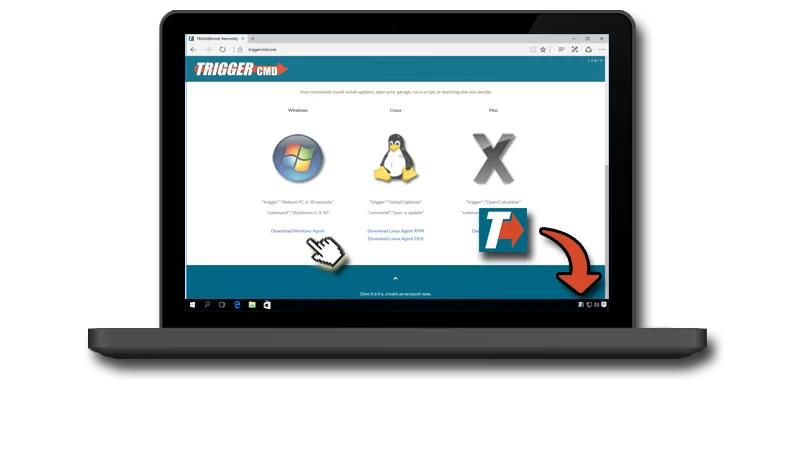
Windows


"trigger":"Reboot PC in 30 seconds"

"command":"shutdown /r /t 30"


Download Windows Agent

Mac


"trigger":"Open Calculator"

"command":"open -a Calculator"


Download Mac Agent ARM Apple Silicon
Download Mac Agent Intel

Why TRIGGERcmd?

Most remote access tools require VPN setup, open firewall ports, or a static IP address. TRIGGERcmd uses an outbound websocket connection. Only the trigger names leave your machine, never the commands themselves. Your scripts, paths, and credentials stay on your hardware.

Once agents are installed on your Windows, Mac, or Linux computers, you can fire commands from anywhere: a browser, a voice assistant, a chatbot, or an automated workflow.

Trigger from Anywhere

  • ChatGPT — natural language commands via the TRIGGERcmd ChatGPT app
  • Amazon Alexa — "Alexa, turn on Calculator"
  • Google Home — "Hey Google, turn on Notepad"
  • IFTTT — event-driven automation with 700+ services
  • Zapier — connect TRIGGERcmd to your business workflows
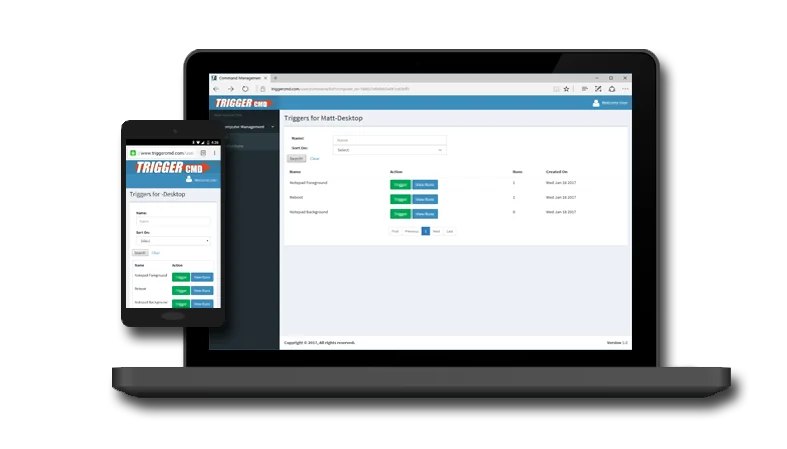
  • Web dashboard — one-click triggers from any browser
  • REST API — build your own integrations

Common Use Cases

IT & Sysadmin

Push updates, restart services, run maintenance scripts, and reboot machines remotely — without opening an RDP session.

Home Automation

Open your garage, launch media, control smart devices, and run custom scripts — all with a voice command or phone tap.

Developer Workflows

Trigger builds, deploy scripts, backup jobs, or test runners from anywhere — integrate with webhooks, Slack, or your CI pipeline.

Privacy Policy Terms of Service